
8 Best AI Meeting Assistants in 2026, Priced
By Anu Verma
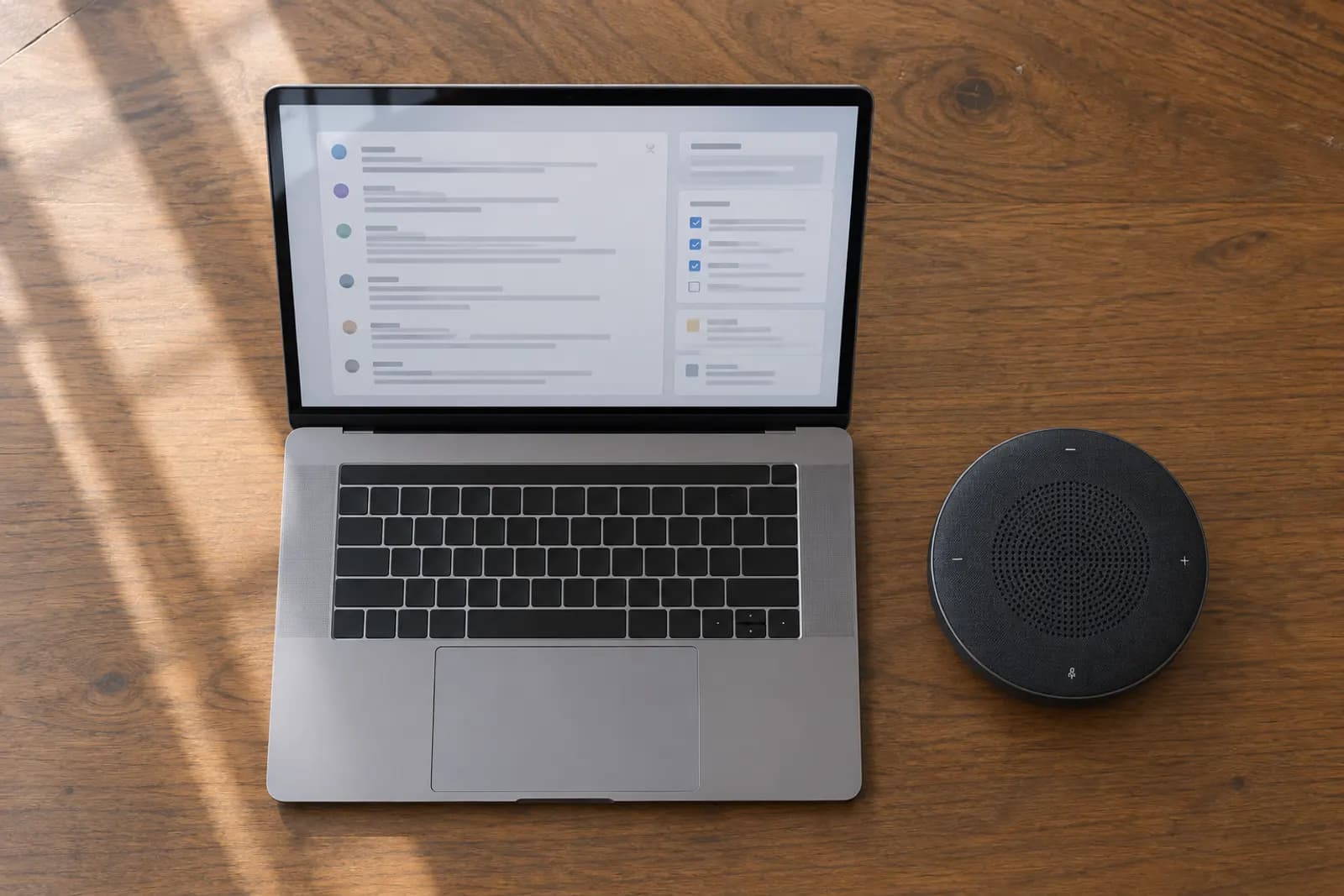
The best AI meeting assistant for most people starting out is Fathom: its free plan records, transcribes and summarizes every Zoom, Google Meet and Microsoft Teams call with no monthly cap, and Premium adds action items and follow-up emails for $20 a month. The eight compared here are Fathom, Fireflies, tl;dv, Granola, Krisp, Read AI, Fellow and Otter.
Key takeaways
- The best AI meeting assistant for most people starting out is Fathom: its free plan records, transcribes and summarizes every Zoom, Google Meet and Microsoft Teams call with no monthly cap, and Premium adds action items and follow-up emails for $20 a month.
- Four of the eight tools record every meeting for $0: Fathom, Granola, tl;dv and Fireflies. The other four need a paid plan for that, from $16 a month (Krisp Core) to $30 a month (Otter Business).
- If you do not want a bot in the call, Granola transcribes your computer's audio instead, and Krisp's notes are bot-free on every plan. Fathom, Fellow and tl;dv offer a bot-free mode too.
- Other picks by need: Fireflies for transcripts in more than 100 languages, Read AI if you also want email and chat summarized, Fellow for shared agendas, and Otter for live transcripts with Salesforce and HubSpot on a $16.99 plan.
An AI meeting assistant joins or listens to your calls, writes the transcript, and turns it into a summary with decisions and action items. The eight compared here are Fathom, Fireflies, tl;dv, Granola, Krisp, Read AI, Fellow and Otter. They differ less in what the summary looks like than in three places that decide the bill: how much the free plan really covers, whether a bot joins the call, and which plan you need before notes reach your CRM or your own automations. This guide ranks them on the first and notes the other two on every entry.
If you want to write better prompts for the summaries these tools hand you, or build your own follow-ups around them, start learning with the free Automate Basics AI courses.
How we ranked these meeting assistants
We asked one question of every tool: what is the lowest month-to-month price at which one person can record and transcribe every meeting, with no monthly cap on meetings or minutes? The list runs from the lowest of those prices to the highest. Four tools answer $0. Among those, the free plan that summarizes more of each meeting ranks higher, and where two summarize every meeting, the one that keeps your history longer ranks higher. Fathom and Granola both summarize every meeting, and Fathom keeps recordings with no time limit while Granola keeps 30 days. tl;dv gives full notes on 10 meetings and then on the first 10 minutes of every meeting, while Fireflies' free summaries draw on a small credit allowance, so tl;dv comes before Fireflies.
To make the list, a tool had to capture Zoom, Google Meet and Microsoft Teams meetings, write AI notes or a summary, and publish its prices. All eight are the meeting assistants in our directory of AI meeting assistants, which compares them on price alone; this page adds the order, the free-plan caps, how each one captures the call and where CRM sync and API access begin.
Plans, prices and limits come from each vendor's own pricing and help pages, as recorded in our tools data: Fathom, tl;dv and Krisp read on 16 October 2026, and Otter, Fireflies, Granola, Read AI and Fellow on 23 September 2026. The CRM plans for Fellow and Fireflies come from two web searches run on 28 October 2026, and the entries flag where those sources disagree. Prices are per user, in US dollars, and billed month to month unless marked.
The 8 meeting assistants compared
| # | Tool | Best for | Free plan | Every meeting recorded from | How it captures | CRM sync and API |
|---|---|---|---|---|---|---|
| 1 | Fathom | free recording and summaries of every call | unlimited recordings and transcripts; advanced summaries on 5 calls a month | Free, $0 | bot, or bot-free (beta, Mac) | CRM field sync on Business ($34); public API and MCP |
| 2 | Granola | notes with no bot in the call | AI notes; 30 days of meeting history | Free, $0 (history 30 days) | device audio, no bot | MCP connector for AI tools |
| 3 | tl;dv | short clips from customer calls, with an API on the first paid plan | unlimited recordings; full AI notes on your first 10 meetings only | Free, $0 | bot, or desktop app without a bot | API, MCP and Zapier on Pro ($29) |
| 4 | Fireflies | a searchable archive in more than 100 languages | unlimited transcription by the auto-join bot; 400 minutes of storage | Free, $0 | bot, Chrome extension, desktop and mobile apps | API on Business ($29); Autofill CRM on Business |
| 5 | Krisp | noise cancellation and notes in one app | none; 7-day trial | Core, $16 | bot-free | Salesforce on Advanced ($30) |
| 6 | Read AI | summaries of meetings, email and chat in one place | 5 meetings a month, up to 1 hour each | Pro, $19.75 | bot | premium integrations on Pro |
| 7 | Fellow | shared agendas and one-on-ones | 5 AI notes and 5 recordings, lifetime | Business, $23 | bot, or bot-free mode | Salesforce and HubSpot on Business |
| 8 | Otter | live transcripts, with CRM sync on a $16.99 plan | 300 minutes a month, 30 minutes per conversation | Business, $30 | bot, or the mobile app in person | Salesforce and HubSpot on Pro ($16.99); API on Enterprise |
The 8 meeting assistants, ranked
1. Fathom

Fathom records Zoom, Google Meet and Microsoft Teams calls, transcribes them and writes an AI summary when each meeting ends. Superhuman, the company formerly named Grammarly, announced on 14 September 2026 that it had acquired Fathom, and Fathom says the app and the login stay the same for users for now.
Price: Free, then Premium at $20 a month or $16 billed yearly. Team is $19 a user a month, or $15 yearly, for two users or more, and Business is $34, or $25 yearly. Enterprise is priced on request (Fathom pricing, read 16 October 2026).
Free plan: unlimited recordings, transcription in 38 languages, storage and downloads, with an instant AI summary of every call. Advanced summaries cover the first five calls a month, Ask Fathom is limited, and AI action items and follow-up emails are not included. New accounts get a 30-day preview of Premium.
How it captures: a meeting bot, or a bot-free mode that is in beta on Mac.
CRM and API: CRM field sync, coaching metrics and AI scorecards come with Business. Fathom lists a public API and an MCP server alongside its Slack, Claude and ChatGPT integrations.
Where it falls short: the free plan stops short of action items and follow-up emails, so anyone who wants those pays $20 a month on Premium, or $19 a head on Team, which needs at least two users.
Pick it if: you want every call recorded and summarized before you pay anything. Fathom's free plan against Otter's is set out in our Fathom vs Otter.ai comparison.
2. Granola

Granola transcribes the meeting audio on your own computer, so no bot joins the call. It works with Zoom, Google Meet and Microsoft Teams as well as phone and in-person conversations, and turns what was said into notes, action items and follow-ups, with briefs before meetings drawn from your calendar.
Price: Basic is free, Business is $14 a user a month with unlimited meeting notes and history, and Enterprise is $35, adding security and admin controls. The pricing page shows no billing period and no yearly discount (Granola pricing, read 23 September 2026).
Free plan: AI meeting notes, AI chat, shared folders and note templates, with meeting history limited to 30 days. The pricing page, as we recorded it, states no cap on how many meetings Basic records, though it sells Business on unlimited meeting notes, so check before you rely on Basic for every call.
How it captures: your device's audio, with no bot. Its pricing page lists apps for Mac, Windows, iOS and Android.
CRM and API: an MCP connector lets AI tools such as Claude read your meeting notes.
Where it falls short: the free plan forgets meetings after 30 days, and security and admin controls need Enterprise at $35.
Pick it if: you sit in back-to-back calls and would rather nobody saw a notetaker join. The Granola vs Fathom comparison sets the botless and bot-based approaches side by side.
3. tl;dv

tl;dv records and transcribes Zoom, Google Meet and Microsoft Teams meetings in more than 30 languages, writes AI notes with action items, and lets you cut clips from a recording to share.
Price: Free, then Pro at $29 a seat a month or $18 billed yearly, Business at $39 or $29 yearly, and Enterprise priced on request (tl;dv pricing and tl;dv's help centre, read 16 October 2026).
Free plan: unlimited recordings and transcripts, but the AI limits are for the life of the account, not monthly: full AI notes for your first 10 meetings, then notes on the first 10 minutes of each meeting, 10 AI prompts and four clips. Free recordings are kept for three months.
How it captures: a meeting bot, or the desktop app for Mac and Windows, which can record with or without a bot.
CRM and API: Pro removes the AI limits and adds Zapier, an MCP server, the API and webhooks; Business adds team-wide CRM field mapping and coaching.
Where it falls short: every plan caps a recorded or uploaded meeting at three hours, and the free AI notes run out after 10 meetings.
Pick it if: you share moments from sales or customer calls, or want an API and MCP server without buying a top plan.
4. Fireflies
Fireflies sends a notetaker into Zoom, Google Meet and Microsoft Teams calls, or captures them through its Chrome extension, desktop and mobile apps. It transcribes in more than 100 languages and answers questions about past meetings through its AskFred assistant.
Price: Free, then Pro at $18 a user a month or $10 billed yearly, Business at $29 or $19 yearly, and Enterprise at $39 a user a month billed yearly (Fireflies' pricing and help-centre articles, read 23 September 2026).
Free plan: unlimited transcription when the notetaker joins your meetings on its own, but storage stops at 400 minutes per seat, so older files must be deleted to make room. You get 20 AI credits a month plus three to ten one-off credits for summaries, and transcript downloads need a paid plan.
How it captures: a meeting bot, the Chrome extension, or the desktop and mobile apps.
CRM and API: API access, video recording and conversation intelligence start on Business. Fireflies' own sales guide lists Autofill CRM on Business; third-party reviews in a 28 October 2026 search say basic HubSpot and Salesforce sync already works on Pro, so check the plan page before you buy for CRM alone.
Where it falls short: the free plan transcribes everything but keeps only 400 minutes, and summaries draw on a small credit allowance.
Pick it if: you meet in several languages and want one archive you can search and question later.
5. Krisp

Krisp removes background noise from calls, and it also records meetings, writes AI notes and action items, and converts accents. It works with Zoom, Google Meet, Microsoft Teams, Slack, Webex and other call apps.
Price: Core is $16 a user a month, or $8 billed yearly, and Advanced is $30, or $15 yearly. Enterprise is priced on request (Krisp pricing, read 16 October 2026).
Free plan: none. A seven-day trial needs no card, and access ends when it does unless you buy a plan.
How it captures: bot-free. Core includes unlimited bot-free AI notes and noise cancellation, an hour a day of accent conversion and 10 GB of storage.
CRM and API: Advanced adds Salesforce and ConnectWise. Krisp also sells developer plans, which list no price.
Where it falls short: there is no free plan, and storage stops at 10 GB on Core and 60 GB on Advanced.
Pick it if: you take calls somewhere noisy and want the cleanup and the notes from one subscription.
6. Read AI

Read AI joins Zoom, Google Meet, Microsoft Teams and Webex calls to produce transcripts, recaps, action items and highlights. It also summarizes email and chat messages, and searches across meetings, documents and notes with cited answers.
Price: Free, then Pro at $19.75 a user a month or $15 billed yearly, Enterprise at $29.75 or $22.50 yearly, and Enterprise+ at $39.75 or $29.75 yearly (Read AI pricing, read 23 September 2026).
Free plan: five meeting transcripts a month, each meeting up to an hour, with summaries of meetings, email and messages and unlimited search.
How it captures: a meeting bot across four meeting platforms, Webex included.
CRM and API: premium integrations start on Pro. Its pricing page, as we recorded it, does not say which plan opens CRM sync or the API, and a 28 October 2026 search found sources that disagree, so ask Read AI before you buy for either.
Where it falls short: the free plan's five meetings a month, each up to an hour, cover about one meeting a week, and Enterprise+ needs at least five licences.
Pick it if: your day is split between calls, email and chat, and you want one place that summarizes all three.
7. Fellow

Fellow records and transcribes meetings on Zoom, Google Meet, Microsoft Teams, Webex and Slack Huddles, and in person, with an optional bot-free mode. It writes AI notes and action items, and builds collaborative agendas and briefs before each meeting.
Price: Free, then Team at $11 a user a month or $7 billed yearly, Business at $23 or $15 yearly, and Enterprise at $25 a user a month billed yearly, from 10 users (Fellow pricing, read 23 September 2026).
Free plan: five AI notes and five AI recordings per user, for the life of the account. Team allows 10 AI notes per user a month, and Business removes the cap.
How it captures: a meeting bot, or the bot-free mode.
CRM and API: Fellow integrates with CRMs, project tools and compliance archives. A 28 October 2026 search places its Salesforce and HubSpot integrations on Business; sources disagree on which plan opens the API.
Where it falls short: the free plan's five AI notes cover five meetings in total, and Team's 10 notes a month cover about two meetings a week.
Pick it if: your team runs recurring one-on-ones and team meetings from shared agendas, or works under strict data governance rules.
8. Otter
Otter joins Zoom, Microsoft Teams and Google Meet calls to write a live transcript with speaker labels, then a summary with decisions and action items. Its AI chat answers questions across past meetings, and its mobile app records in-person conversations.
Price: Basic is free, Pro is $16.99 a user a month or $8.33 billed yearly, Business is $30 or $19.99 yearly, and Enterprise is priced on request (Otter pricing, read 23 September 2026).
Free plan: 300 transcription minutes a month, up to 30 minutes per conversation, one meeting at a time, and only your 25 most recent conversations visible.
How it captures: a meeting bot, or the mobile app for meetings in the room.
CRM and API: Salesforce, HubSpot and Zapier integrations are listed on Pro (the pricing page marks them with a footnote we could not read). The Otter API and webhooks are on Enterprise only.
Where it falls short: Pro allows 1,200 minutes a month and 90 minutes per meeting, so recording every meeting with no cap takes Business at $30 a month.
Pick it if: you want live transcripts during the call and your sales notes in Salesforce or HubSpot for under $17 a month. Our Otter.ai vs Fireflies.ai comparison weighs it against the fourth tool on this list.
Which AI meeting assistant should you choose?
If you want every call recorded and summarized for nothing, start with Fathom's free plan, and move to Premium at $20 a month once you want action items and follow-up emails. If you meet in many languages, Fireflies transcribes in more than 100 for free, as long as you keep within 400 minutes of storage. If you want an API and an MCP server on a mid-priced plan, tl;dv's Pro is $29 a month, or $18 billed yearly.
If a bot joining the call is the problem, Granola listens to your own device, free with 30 days of history or $14 a month to keep everything, and Krisp's Core adds noise cancellation for $16. Read AI suits people whose work runs through email and chat as much as calls, Fellow suits teams that run meetings from shared agendas, and Otter gives you live transcripts with Salesforce and HubSpot on its $16.99 Pro plan.
Before you choose
Meeting assistants change their plans often, so open the vendor's pricing page before you buy; every figure above carries the date we read it. Whichever tool you pick, its summary is a starting point: our guide to turning a meeting recording into notes and a follow-up email with ChatGPT shows one way to finish the job. To get more out of the AI tools you already use at work, start learning with the free Automate Basics AI courses.
Frequently asked questions
What is the best AI meeting assistant?
The best AI meeting assistant for most people starting out is Fathom: its free plan records, transcribes and summarizes every Zoom, Google Meet and Microsoft Teams call with no monthly cap, and Premium adds action items and follow-up emails for $20 a month.
Which AI meeting assistants record every meeting for free?
Four of the eight tools on this page record every meeting for $0: Fathom, Granola, tl;dv and Fireflies. The other four need a paid plan for that, from $16 a month (Krisp Core) to $30 a month (Otter Business).
Is there an AI meeting assistant that does not join the call as a bot?
If you do not want a bot in the call, Granola transcribes your computer's audio instead, and Krisp's notes are bot-free on every plan. Fathom, Fellow and tl;dv offer a bot-free mode too.
For you
Learn to do this with AI, free
Short courses for people who aren't engineers: ChatGPT, Claude, prompting and automation. Every lesson is free, with no card.
Start a free courseFor companies
Make an AI or automation tool?
List it in the directory for $9.99, refunded in full if it isn't approved, or claim its page if it is already here.
Related guides
 Take Offline AI Notes for an In-Person Meeting on a MacRecord a meeting with consent, transcribe it locally on your Mac, and check names and decisions against the audio before sharing notes.
 Set Up Google Meet to Take Notes AutomaticallySet up Google Meet AI notes before a meeting, check when note-taking starts, find the document, and review access before sharing it.
 How to Use ChatGPT for Meeting Notes and a Follow-Up EmailTurn a meeting recording or transcript into a five-bullet summary, decisions with owners and a follow-up email, plus a check for decisions AI invented.
Tools in this piece


Drafted with AI assistance from our own research, and reviewed by the Automate Basics team before publishing. Tools and prices change; check the linked official source before you act.
Get the next one by email
One email a week: what changed in AI for people who use it at work, and what to do about it.