
How to Post to All Social Media at Once (Free and Paid Ways)
By Anu Verma
To post to all social media at once, connect every account to one scheduler, write the post a single time, adjust it where a network's limits demand, and publish to every account in one go. The built-in free routes stay inside Meta's apps: Meta Business Suite sends one post to a Facebook Page and an Instagram account together, and Instagram can pass each new post on to Facebook and Threads.
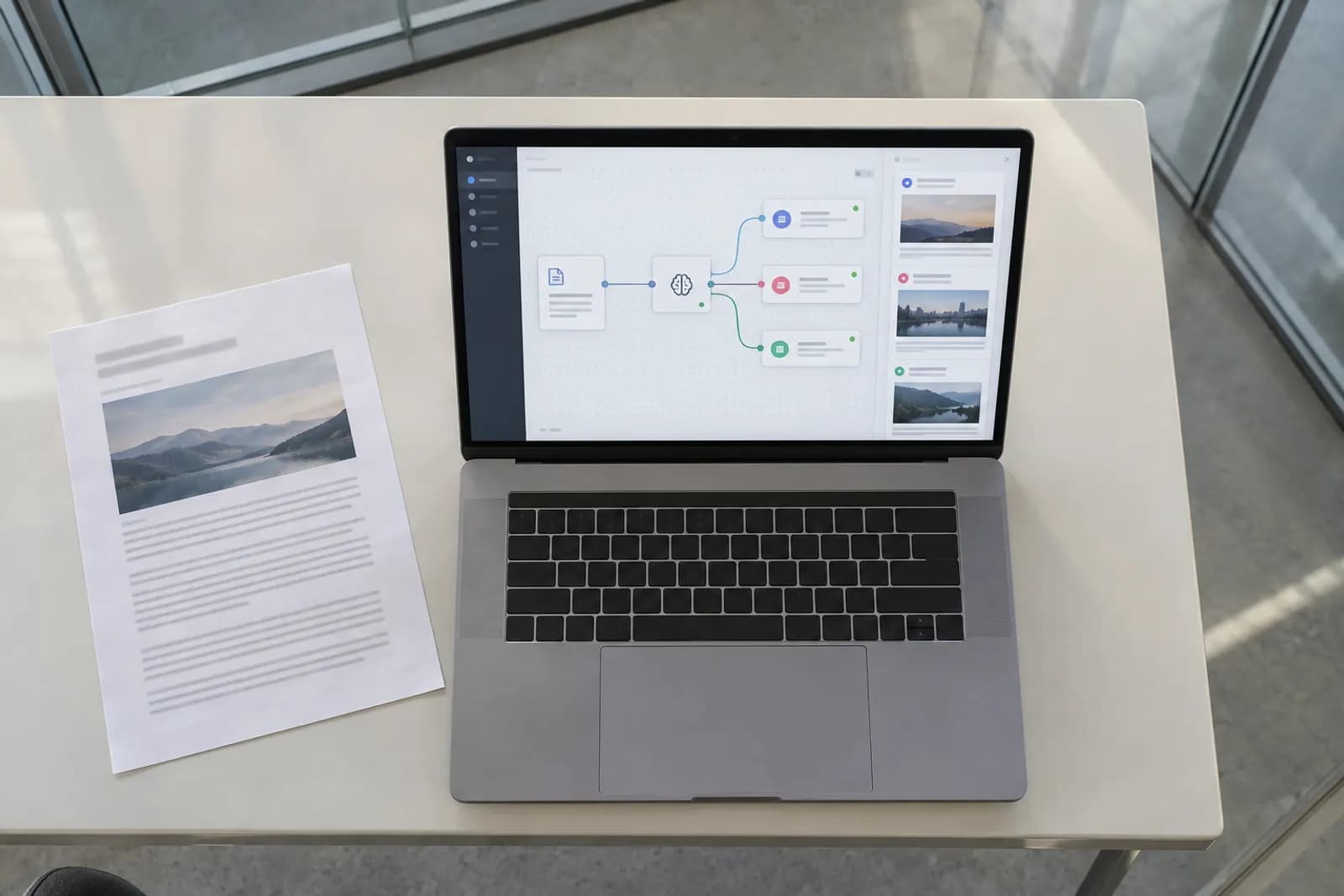
To post to all social media at once, connect every account to one scheduler, write the post a single time, adjust it where a network's limits demand, and publish to every account in one go. The built-in free routes stay inside Meta's apps: Meta Business Suite sends one post to a Facebook Page and an Instagram account together, and Instagram can pass each new post on to Facebook and Threads. Free scheduler plans add a few accounts, but reaching X, LinkedIn, TikTok and the rest with the same post takes a paid scheduler or a self-hosted one. Our pick is PostWharf: one composer publishes to ten networks, any network can get its own wording, and every post gets a delivery receipt per network, from $15 a month per brand with no charge per channel. Publer, Postiz, SocialBee, Buffer, SocialPilot, Metricool, Sendible, Agorapulse, Sprout Social and Hootsuite are priced below for the same job.
If AI drafts your versions for each network, Automate Basics' free AI courses for work cover the prompting: start learning.
Every way to post everywhere, side by side
| Way | What it reaches | Cost | What it leaves out |
|---|---|---|---|
| Post in each app yourself | Any network | Free | One upload and one caption per network, every time |
| Meta Business Suite | A Facebook Page and an Instagram account | Free | X, LinkedIn, TikTok, YouTube, Pinterest and Bluesky |
| Instagram's sharing to Facebook | Facebook, from each new Instagram post | Free | Every network outside Meta; one Instagram-to-Facebook pairing at a time |
| Instagram's sharing to Threads | Threads, from an Instagram post | Free | Reels, carousels and Stories, according to a guide written this year |
| A scheduler's free plan | Three accounts (Buffer, Publer), or one Metricool brand on every network but X and LinkedIn | Free | Account caps, post caps, X on Publer and Metricool, and LinkedIn on Metricool |
| A paid scheduler | Every network the tool connects | From $15 a month (PostWharf Starter) | Only the networks the tool cannot connect |
Choose by the networks you actually use. If your audience is on Facebook and Instagram alone, Meta's free tools cover it. Once X, LinkedIn or TikTok join the mix, a scheduler removes one upload per network from every post you make.
Free way 1: Meta Business Suite for Facebook and Instagram together
Meta Business Suite is Meta's free dashboard for a Facebook Page and the Instagram account linked to it. You need a Facebook Page to use it; link Instagram from its Settings and log in to confirm the connection.
- Open Business Suite and choose Create post.
- Pick where it goes: the Facebook Page, the Instagram account, or both.
- Add the photo or video and the caption. To give each app different text, tick the option to customise the post for Facebook and Instagram, then edit each version from its icon.
- Check the preview, which shows the post on Facebook and on Instagram, on desktop and on mobile.
- Choose Publish to post now, or Schedule to set a time.
What it leaves out: every network Meta does not own. And since a link in an Instagram caption cannot be clicked, keep the link in the Facebook version and take it out of the Instagram one.
Free way 2: Instagram's sharing to Facebook and Threads
To Facebook. Instagram can copy every new post to Facebook by itself. Open your profile, open the menu, go to Accounts Center and then Sharing across profiles. Choose the Instagram account to share from and the Facebook profile or Page to share to, then switch on the toggle for your Instagram posts. Posts you publish after that appear on Facebook too.
The limits: Instagram's help centre says automatic sharing pairs one Instagram account with one Facebook account, and setting up a new pair ends the previous one. Facebook gets the Instagram post as it is, so there is no separate caption for Facebook readers, and nothing goes beyond Meta's apps.
To Threads. Meta started testing sharing from Instagram to Threads in 2024. When a post goes across, the caption becomes the Threads text and hashtags turn into plain words. A guide written this year describes it as working for single-image posts only, with Reels, carousels and Stories left behind. Threads also takes 500 characters against Instagram's 2,200, so a long Instagram caption will not fit.
Free way 3: a scheduler's free plan
- Buffer connects three channels for free, with up to 10 scheduled posts per channel at a time.
- Publer connects three accounts for free, but X is not one of them, and each account holds 10 scheduled posts.
- Metricool covers one brand for free on every network it supports except LinkedIn and X, up to 20 scheduled posts a month.
- Postiz is open source and free to run on your own server, but you first register a developer app with most networks yourself, which can take weeks for Meta, YouTube and TikTok.
None of the three hosted free plans reaches X, LinkedIn and three more networks from one place. For that, the next step is a paid plan: on this page, one brand on five networks starts at $15 a month.
Where one caption stops working: the limits per network
One caption has to fit the strictest network it goes to. On a standard X account that is 280 characters, and Bluesky allows 300, while Instagram and TikTok take 2,200 and Facebook 63,206. Video differs as widely: Instagram Reels, YouTube Shorts and Bluesky stop at three minutes, and a Facebook video can run any length.
| Network | Characters per post | Shown before "more" | Longest video | Shape that fits |
|---|---|---|---|---|
| X | 280, or 25,000 with Premium | Not given | 2 minutes 20 seconds without Premium, longer with Premium | 16:9 for video |
| Bluesky | 300 | Not given | 3 minutes | 1:1 is safe |
| Threads | 500 | Not given | 5 minutes | 9:16 for video |
| 100 in the title, 800 in the description | Not given | 5 minutes (at least 4 seconds) | 2:3 for images, 9:16 for video | |
| 2,200, with up to 5 hashtags | About 125 | 3 minutes for Reels | 4:5 in the feed, 9:16 for Reels | |
| TikTok | 2,200 | About 100 | Up to 60 minutes uploaded, 10 recorded in the app | 9:16 |
| 3,000 | Around 140 | 15 minutes from a computer, 10 from the app | 1:1 is safe | |
| Telegram | 4,096, or 1,024 when the post carries media | Not given | Not given | Not given |
| YouTube | 5,000 in the description | About 157 | 3 minutes for Shorts, square or vertical | 9:16 for Shorts, 16:9 for long videos |
| 63,206 | Around 250 | No length limit since its videos became Reels in 2025 | 4:5 in the feed, 9:16 for Reels |
What this means for a post that goes everywhere:
- Lead with the line that matters. Instagram shows about 125 characters before "more" and LinkedIn around 140, so the hook has to sit in the opening sentence.
- Keep to five hashtags whenever Instagram is in the set.
- Watch Telegram's media limit. Its 4,096 characters drop to 1,024 once a photo or video is attached.
- YouTube and Pinterest need a title as well as the text.
- Pinterest descriptions: Pinterest's own spec page allows 800 characters, while its ad specs and some counters use 500, which is the safer target.
To test a caption before it goes out, paste it into PostWharf's free character counter, which checks it against fourteen networks at once and marks where each would cut it off. Its aspect ratio checker shows which of five shapes a file fits and how much of the frame each crop removes. Both run in the browser with no account.
The paid way: publish one post to every network with a scheduler
The steps below use PostWharf. Other schedulers follow a similar order under different button names.
Step 1: Connect every account the brand posts from
A PostWharf workspace holds one brand's channels, drafts, queue and delivery history. Connect each account the brand uses. Ten networks publish today: Instagram, TikTok, X, LinkedIn, YouTube, Facebook, Threads, Pinterest, Bluesky and Telegram. Reddit, Discord, Snapchat and WordPress can be requested but not yet connected. Adding accounts does not raise the price, because each workspace has unlimited channels.
Step 2: Write the shared caption for the strictest network
Write one caption and one set of hashtags as the version every network gets by default. If X is in the set and the account has no Premium, keep that shared text inside 280 characters, link included, and put the point of the post in the first line.
Step 3: Override the networks that need more, or less
Open the override for any network where the shared text falls short: a longer LinkedIn version with context, a version for Threads under 500 characters, no hashtags where they do nothing. Networks you leave alone keep the shared caption. For help drafting the versions, the method in turning one blog post into five AI social posts works for any announcement.
Step 4: Attach the media in the shapes that fit
Upload the file to PostWharf or point to a URL where you already host it. Vertical 9:16 suits Reels, Shorts and TikTok, 4:5 fills the most room in an Instagram or Facebook feed, and 1:1 is the shape to choose if one file has to work everywhere.
Step 5: Publish now
Choose to publish now and the post goes to every connected network at once, or set a date and time instead. When a delivery fails, PostWharf retries it automatically and shows the reason in a status feed.
Step 6: Read the receipt for each network
After publishing, PostWharf checks the post again and lists one row per network. A post can go out on nine networks and fail on the tenth, so look for the missing row before you announce anything that links to the post.
Once one post works, the same setup carries a regular schedule. A month of ideas planned in one ChatGPT chat fills the queue, and new blog articles can reach it on their own with n8n and Claude.
How we chose and priced the tools
To be listed, a tool had to publish directly, not by reminder, to Facebook, Instagram, X, LinkedIn and TikTok from one place, with its prices on its own website. Eleven of the twelve schedulers in Automate Basics' tool records meet that bar. Later does not, because X is not among the networks it publishes to.
PostWharf comes first as our pick for this job: one price per brand however many networks you connect, a caption override for each network, and a delivery receipt for each. The others are ordered by what one brand on those five networks costs a month for one user on monthly billing, lowest first. Ties go to the lower yearly rate, then to alphabetical order. Hootsuite shows only a yearly-billed price, so it comes last.
The prices come from each vendor's own pricing pages, read on 16 October 2026 and recorded in our tool records. They are in US dollars before tax and change often, so check the vendor's page before you buy. The character limits and shapes come from PostWharf's character counter and aspect ratio checker, Pinterest's figures from its Pin spec page, and X's Premium limit, Instagram's hashtag cap and the remaining video limits from web searches run on 16 October 2026, which returned network announcements and third-party guides.
The tools compared
| # | Tool | How it charges | One brand on five networks, a month | Free option | Best for |
|---|---|---|---|---|---|
| 1 | PostWharf | Per workspace (brand), unlimited channels | $15 ($10 billed yearly) | Seven-day Starter trial | One brand on many networks at one price, with a receipt per network |
| 2 | Publer | Per social account, plus extra members | $20 (Professional, 5 accounts) | Free plan: 3 accounts, no X | A handful of accounts on a small bill |
| 3 | Postiz | Per channel; free to self-host | $29 ($23 billed yearly) | Self-hosting; 7-day trial with a card | Networks most schedulers skip, such as Reddit and Discord |
| 4 | SocialBee | Per bundle of profiles | $29 ($24 billed yearly) | 14-day trial, no card | Recycling evergreen posts by category |
| 5 | Buffer | Per channel | $30 ($25 billed yearly) | Free for 3 channels | Starting free on three networks |
| 6 | SocialPilot | Per bundle of accounts | $30 ($25.50 billed yearly), 7 accounts | 14-day trial, no card | Room for seven accounts on the first plan |
| 7 | Metricool | Per band of brands, X extra | $35 ($30 billed yearly), with X | Free plan without X or LinkedIn | Several brands on one plan |
| 8 | Sendible | Per workspace | $35 ($30 billed yearly), 6 profiles | 14-day trial, no card | Teams that want unlimited users |
| 9 | Agorapulse | Per user | $99 ($79 billed yearly) | 30-day trial, no card | A team that answers comments and messages in one inbox |
| 10 | Sprout Social | Per seat | $99 ($79 billed yearly), 5 profiles | 30-day trial, no card | Social teams that report to stakeholders |
| 11 | Hootsuite | Per user | $99, billed yearly only | 14-day trial, no card | Publishing, an inbox and listening in one place |
The 11 tools, ranked
1. PostWharf

PostWharf is a social media scheduler with one composer, one queue and a record of what actually went out on each network. For posting one update everywhere, it does the three things this guide asks of a tool: it takes one caption with an override for any network, publishes now or at a set time, and re-checks each post afterwards with one row per network.
Starter costs $15 a month, or $10 billed yearly, for one workspace and 200 scheduled posts a month. Startup is $29 ($23 billed yearly) for three workspaces and 400 posts, Plus is $67 ($54) for ten workspaces and 1,000 posts, and Pro is $99 ($79) for unlimited workspaces and 2,500 posts. Every plan has unlimited channels per workspace, so five networks cost the same as ten. The REST API, MCP server, CLI and webhooks come with every plan too, for anyone who later wants to post from Zapier, Make, n8n or an AI assistant.
Where it falls short: Reddit, Discord, Snapchat and WordPress cannot be connected yet, and its pages describe no analytics reports or reply inbox, so reach and replies stay in each network's app or another tool. Starter's 200 scheduled posts a month is the ceiling to watch if you post often.
Try it on your own accounts: the first seven days of Starter are free, the card is charged only when the trial ends, and cancelling before then costs nothing. See PostWharf's plans.
2. Publer

Publer charges for each social account you connect. On Professional, five accounts cost $20 a month, and each extra team member adds $2. It publishes to 13 networks, Telegram, Mastodon and WordPress among them, and can bulk-schedule up to 500 posts from a CSV file.
Where it falls short: the price rises with every account, and analytics, the API and the MCP server need the Business plan, which is $35 a month for five accounts. Daily posting limits apply per profile below Enterprise. Source: Publer plans, read 16 October 2026.
3. Postiz
Postiz is an open-source scheduler that publishes to 34 platforms, including Reddit, Discord, Bluesky and Mastodon. The hosted Standard plan is $29 a month, or $23 billed yearly, for five channels with unlimited posts, and its MCP server, CLI, REST API and webhooks come with every plan.
Where it falls short: Standard covers exactly five channels and includes no team members. The seven-day trial needs a card, and self-hosting means registering a developer app with most networks. Source: Postiz pricing, read 16 October 2026.
4. SocialBee

SocialBee's Bootstrap plan is $29 a month, or $24 billed yearly, for five profiles, one user and one workspace. It publishes directly to ten networks and sends phone reminders for those it cannot post to, such as WhatsApp, Telegram and Facebook Groups. Posts are scheduled by content category, so evergreen posts can repeat.
Where it falls short: a sixth profile means buying five more for $15 a month, and Bootstrap has no bulk editor, CSV upload or post approval. Posting stops when the 14-day trial ends. Source: SocialBee pricing, read 16 October 2026.
5. Buffer
Buffer charges per channel: Essentials is $6 a channel a month, or $5 billed yearly, so five channels cost $30, or $25 billed yearly. Its free plan covers three channels, and it publishes to 12 networks, including Mastodon, Google Business Profile and Substack.
Where it falls short: after you upgrade, the three free channels are billed too, and Essentials includes one user. Instagram personal profiles and Facebook groups get reminders rather than automatic posts. Source: Buffer pricing, read 16 October 2026.
6. SocialPilot

SocialPilot's Essentials plan is $30 a month, or $25.50 billed yearly, for seven social accounts and one user, and each extra account costs $4 a month. It publishes to ten networks, including Google Business Profile and Bluesky.
Where it falls short: Essentials has no analytics, social inbox or approvals, bulk scheduling and CSV upload start on Premium, and API access is only on Enterprise. Source: SocialPilot plans, read 16 October 2026.
7. Metricool

Metricool prices by how many brands you run. Starter is $25 a month, or $20 billed yearly, for up to five brands, each with one profile per network. X is an add-on at $10 a month per account, which brings one brand on these five networks to $35, or $30 billed yearly.
Where it falls short: the X add-on applies on every paid plan, and approvals, team roles and the API start on Advanced, from $67 a month. Prices exclude VAT. Source: Metricool pricing, read 16 October 2026.
8. Sendible

Sendible's Core plan is $35 a month, or $30 billed yearly, for one workspace with six social profiles, and every plan has unlimited users. It publishes to ten networks, WordPress and Google Business Profile among them.
Where it falls short: Pinterest is not on its list of networks, more profiles mean buying another workspace for $35 a month, and approvals start on Plus at $99 a month. Source: Sendible pricing, read 16 October 2026.
9. Agorapulse

Agorapulse's Standard plan is $99 a user a month, or $79 billed yearly, with ten social profiles shared by everyone on the account. Its unified inbox collects comments, direct messages and Google reviews in one place.
Where it falls short: each added user pays the full plan rate, bulk CSV scheduling and queues need Advanced at $149 a user a month billed yearly, and an X inbox and X reporting cost $50 per X profile a month. Source: Agorapulse pricing, read 16 October 2026.
10. Sprout Social

Sprout Social's Essentials plan is $99 a seat a month, or $79 billed yearly, for five social profiles, enough for exactly these five networks. It connects ten networks and includes reporting on profiles and posts.
Where it falls short: a sixth profile needs Professional, at $399 a seat a month or $299 billed yearly, every added user pays the full seat price, and Essentials has no social inbox. Source: Sprout Social pricing, read 16 October 2026.
11. Hootsuite
Hootsuite's Standard plan is $99 a user a month, billed yearly, for up to ten social accounts on nine networks, with a unified inbox and social listening. Its planner can bulk-schedule up to 350 posts at once.
Where it falls short: pricing is per user, its plans page shows no monthly-billing rate, and trial accounts are held to 10 to 20 posts a day without bulk scheduling. Source: Hootsuite plans, read 16 October 2026.
Post your next update everywhere
Pick the networks that matter, write to the strictest limit, give the networks that need it their own version, and check every receipt. PostWharf's plans start with a seven-day free trial of Starter.
To write better versions for each network with AI, take Automate Basics' free AI courses for work: start learning.
Frequently asked questions
Can you post to all social media at once for free?
Only within limits. Meta Business Suite and Instagram's sharing toggles post across Facebook, Instagram and Threads at no cost, and Buffer's free plan adds any three channels. No free hosted plan on this page reaches X, LinkedIn and three more networks together; PostWharf's Starter plan does it from $15 a month after a seven-day free trial.
What is the best app to post to all social media at once?
For one brand posting the same update everywhere, PostWharf: one composer for ten networks, an override for each, a delivery receipt per network, and a price per brand rather than per channel, from $15 a month. Publer suits a few accounts on a small bill, Buffer a free start on three channels, Agorapulse or Hootsuite a team that also answers messages, and Sprout Social a team that reports to stakeholders.
Can I post to Facebook and Instagram at the same time?
Yes, for free. In Meta Business Suite, create a post and select both the Facebook Page and the Instagram account, or switch on Instagram's sharing to Facebook in Accounts Center so each new Instagram post appears on Facebook as well.
For you
Learn to do this with AI, free
Short courses for people who aren't engineers: ChatGPT, Claude, prompting and automation. Every lesson is free, with no card.
Start a free courseFor companies
Make an AI or automation tool?
List it in the directory for $9.99, refunded in full if it isn't approved, or claim its page if it is already here.
Related guides
 11 Best Social Media Posting APIs for Developers in 2026PostWharf, with a webhook for every delivery, and 10 more social media posting APIs compared on auth, rate limits, networks and price.
- 9 Best Social Media Schedulers for Small Business in 2026Nine schedulers priced for one business on five networks, with free plans, Google posting and Canva checked. PostWharf posts to all five for $15 a month.
- 10 Best Social Media Schedulers for Agencies in 2026Ten agency schedulers priced at 3, 6 and 10 brands. PostWharf gives each brand its own workspace and queue, channels unlimited; see who has approvals.
Tools in this piece
Drafted with AI assistance from our own research, and reviewed by the Automate Basics team before publishing. Tools and prices change; check the linked official source before you act.
Get the next one by email
One email, most weeks: what changed in AI for people who use it at work, and what to do about it.