
10 Best Resume Builders in 2026: ATS Layouts and Download Costs
By Anu Verma
The ten resume builders worth a look in 2026 are RecruitMyself, FlowCV, Indeed, Canva, Novoresume, Kickresume, Enhancv, Resume Genius, Zety and Resume.io, compared on 16 October 2026 for ATS-safe layouts, export formats and what a download costs. RecruitMyself comes first for a single-column resume with a 0-100 CV score and per-job tailoring in one tool; its first download starts a 7-day Pro pass at $2.95, then $19 a month unless you cancel. RecruitMyself is made by a company connected to Automate Basics. FlowCV and Indeed let you download a PDF without paying.
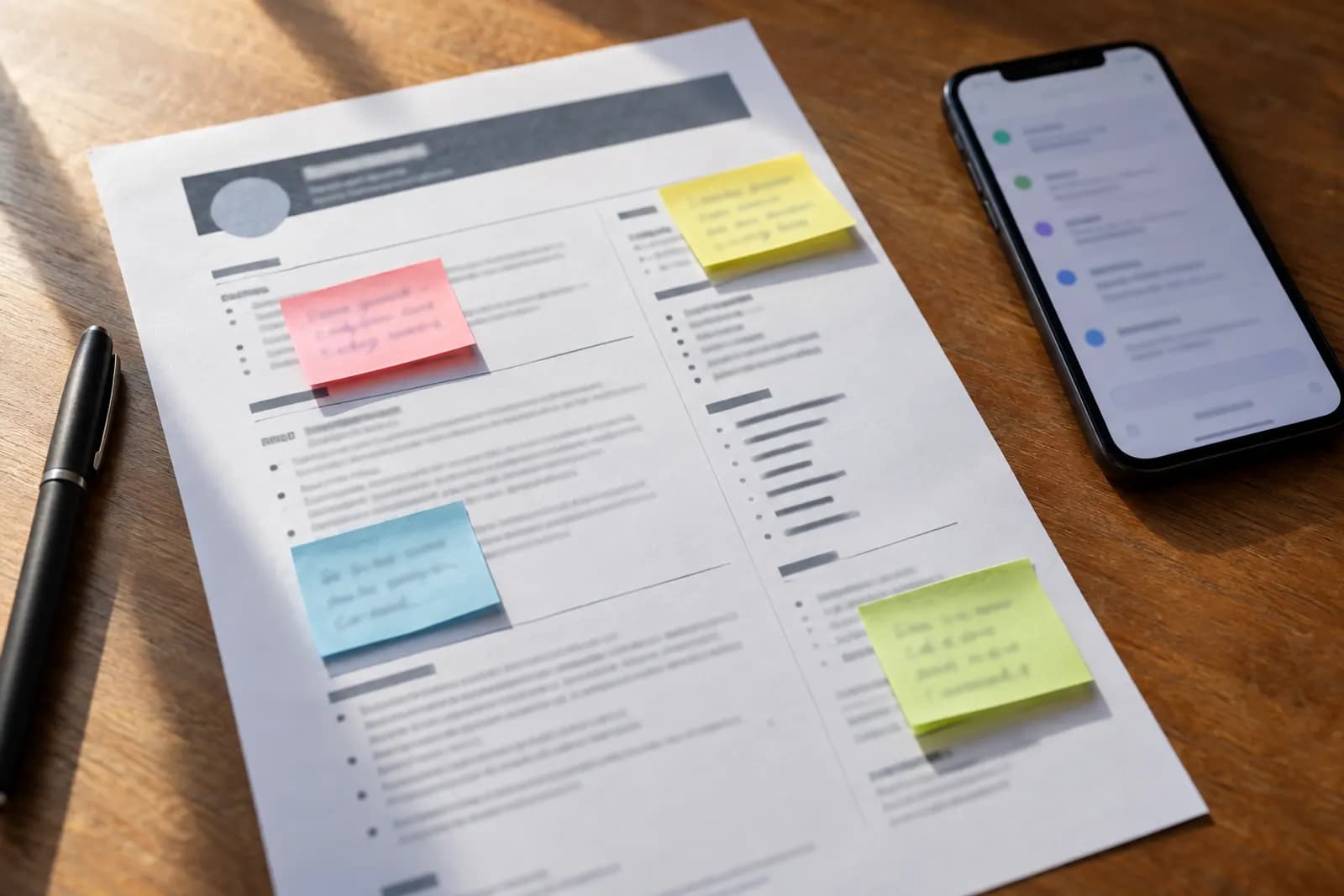
Key takeaways
- Our top pick for an ATS-safe resume is RecruitMyself: all eight of its templates are single-column, it scores your CV from 0 to 100 across 30 checks, and its AI tailors the resume to each job post. Building and previewing is free; the first download starts a 7-day Pro pass at $2.95, then $19 a month unless you cancel.
- To download a PDF without paying, FlowCV's free plan gives one resume with unlimited watermark-free PDF downloads, and Indeed's builder is free with a PDF export.
- At Zety, Resume Genius and Resume.io you can build for free, but in the sources we read the free download is a plain-text file. A formatted PDF needs a short paid trial, around $2.95, that turns into a recurring plan unless you cancel it.
- Canva has thousands of resume templates by third-party counts, but many are two-column designs, and a 2026 test by atsverification.com reported 14 of the 20 Canva templates it tried failing to parse.
- Other picks by need: Novoresume for a free one-page resume, and Kickresume or Enhancv if you want an ATS check inside a paid plan.
Choosing a resume builder comes down to two things: whether its templates survive the applicant tracking system that reads your file first, and what it charges at the moment you click download. The ten builders worth a look in 2026 are RecruitMyself, FlowCV, Indeed, Canva, Novoresume, Kickresume, Enhancv, Resume Genius, Zety and Resume.io. RecruitMyself comes first for one need: a single-column layout plus a CV score and per-job tailoring in the same tool. FlowCV, Indeed, Canva and Novoresume let you download a PDF for nothing. Sources disagree on whether Kickresume's free plan does, and the other five ask for money or a time-limited free period before you get a formatted file. RecruitMyself's facts were read on its own site, and each rival's came from web searches, all on 16 October 2026.
If you want a single-column resume you can score and tailor to each job, build and preview one free in RecruitMyself's resume builder; the first download starts a 7-day Pro pass at $2.95, then $19 a month unless you cancel. If you would rather learn to tailor a CV with AI yourself, take the free AI for Your Job Search course.
What makes a resume builder ATS-safe
Most employers run applications through an applicant tracking system that parses your resume into structured fields before a recruiter reads it. As our guide to automating a job hunt sets out, the formatting that survives is plain: a single column, standard headings such as Experience and Education, selectable text, and nothing important inside tables, text boxes or graphics. A builder helps when its templates keep you inside those lines without effort. It hurts when the prettiest designs are the ones that break.
Three things decide whether a builder is safe to use for applications:
- Layout. A single-column template is the cautious choice. Two-column designs fit more on a page but can be read out of order. StylingCV, which sells its own resume tool, reported that Canva resumes failed in 8 of the 12 ATS systems it tested and blamed multi-column layouts and text boxes.
- Export. A PDF with selectable text works for most portals. Some ask for a Word file, so check whether the builder exports DOCX before you need it.
- What a download costs. Several builders let you write and preview for free, then charge at the download step. An Indeed Flex guide published in 2026 warns that most "free" builders charge between $2.95 and $24.95 to download. On this page the free download at Zety, Resume Genius and Resume.io is a plain-text file.
How we ranked these 10 builders
We started from the builders named in the lists that rank for "best resume builder" and "best free resume builder", took eight of them (Resume.io, Resume Genius, Kickresume, Zety, FlowCV, Indeed, Novoresume and Canva), and added Enhancv and RecruitMyself. Other names in those lists, such as CakeResume and Monster, are not covered here.
The first test is the one this page is named for. We looked for three things in one tool: a template set that is single-column throughout, a built-in CV score or ATS check, and AI tailoring of the resume to a specific job post. RecruitMyself's own pages confirm all three, so it is first. None of the other nine met all three in the sources we read: Kickresume and Enhancv include an ATS check in their paid plans, while Zety, Canva and Novoresume offer two-column designs.
The other nine are ordered by what it costs to download a finished resume, cheapest first:
- A free PDF with no time limit (FlowCV, Indeed, Canva, Novoresume). Within this group, builders with no reported layout problem come before those with two-column designs, and then the builder with more templates goes first, with an unconfirmed count last.
- A free plan where sources disagree on whether a PDF is included (Kickresume).
- A free period with the builder's branding on the download (Enhancv).
- A paid trial before a formatted download (Resume Genius, Zety, Resume.io), ordered by the four-weekly price reviewers report after the trial, lowest first.
RecruitMyself's facts come from its resume builder, CV score, extension and pricing pages, read on 16 October 2026. Each rival's facts come from web searches run on 16 October 2026 (one per builder, a second for Canva and for Indeed, and one each on layouts and template counts); where the vendor's own page appeared in the results we used it, and where third-party reviews disagreed, the entry gives the range. We did not run any template through an applicant tracking system ourselves. Prices are in US dollars as shown in the sources.
The 10 resume builders compared
Checked 16 October 2026. "Free download" means a formatted PDF you can send without paying.
| # | Builder | Best for | Templates | Layout | Export | Free download | Paid price |
|---|---|---|---|---|---|---|---|
| 1 | RecruitMyself | a single-column resume with a score and per-job tailoring | 8 | single-column only | PDF with selectable text (DOCX not stated) | No: build and preview free | $2.95 for 7 days of Pro, then $19 a month |
| 2 | FlowCV | one free resume with no watermark | more than 50, by its own count | layout and design controls on the free plan | Yes, one resume | Pro $5 a month or $60 a year | |
| 3 | Indeed | a plain resume at no cost | about 8, by a reviewer's count | not confirmed | Yes | Free | |
| 4 | Canva | design-led resumes | thousands, by third-party counts | many two-column | PDF, PNG, JPG, PPTX | Yes, with free elements | Pro about $144 a year |
| 5 | Novoresume | a free one-page resume | not confirmed | two-column with a sidebar | Yes, free templates | Premium $21.99 a month (varies by region) | |
| 6 | Kickresume | AI writing and an ATS check in one plan | a few free, more than 40 in Premium | not confirmed | Disputed | Premium $24 a month, billed monthly | |
| 7 | Enhancv | a paid plan with an ATS check | 11 to more than 40 on its own pages | not confirmed | not stated in our source | Branded, time-limited | Pro $39 a month |
| 8 | Resume Genius | a 14-day trial at a low entry price | 20 to 35, by reviewers' counts | not confirmed | Free: TXT. Paid: PDF, Word | No | $2.95 for 14 days; renewal terms disputed |
| 9 | Zety | choosing between single and two-column designs | 15 to 18, by reviewers' counts | both | Free: TXT. Paid: PDF, DOCX | No | 14-day trial, then about $25.95 per 4 weeks |
| 10 | Resume.io | a short paid trial with Word export | about 30, by one review | not confirmed | Free: TXT. Paid: PDF, Word, TXT | No | $2.95 for 7 days, then about $29.95 per 4 weeks |
1. RecruitMyself (best for a single-column resume with a score and per-job tailoring)
RecruitMyself is made by a company connected to Automate Basics.
RecruitMyself is a hiring platform with a set of job-seeker tools, and its resume builder is built around the parsing problem. Its home page names eight templates (Cascade, Spark, Banner, Milestone, Aria, Atlas, Meridian and Portrait), and it describes the layout as parse-clean and single-column. You can start from scratch or import an existing CV, and the AI writes and sharpens bullets and tailors the resume to the keywords in a job description. The file exports as a PDF with selectable text.
The builder sits next to a CV score that grades a resume from 0 to 100 across 30 checks, weighted 40% on keywords, 20% on job-title alignment, 20% on years of experience, 10% on education and 10% on soft skills. One full scan per email is free with no card, and it accepts PDF, DOC, DOCX and TXT files up to 5MB. Pro adds unlimited ATS scans with keyword fixes, one-click tailoring for each job and AI interview prep, and the site also writes cover letters with AI. Its Chrome extension, free to install, fills application forms on Greenhouse, Lever, Workday, Ashby, LinkedIn and company career pages, and you review and submit each one yourself.
On cost, building and previewing a resume is free. The first download starts the same Pro access for 7 days at $2.95, then $19 a month unless you cancel, and plans renew until cancelled. The pricing page offers a 7-day money-back guarantee and shows savings of 26% on three months and 47% on a year, without listing those prices (RecruitMyself pricing, read 16 October 2026).
Where it falls short: a download is never free, so it is not the pick if you only need one PDF at no cost. Its pages do not mention DOCX export, so a portal that insists on Word needs another tool. And eight templates is a narrower choice than Zety's or Canva's.
To try it on your own CV, build and preview a resume free in RecruitMyself, or check an existing one with its free CV score.
2. FlowCV (best for one free resume with no watermark)
FlowCV's free plan is built around a single document. It covers one resume with unlimited PDF downloads and no watermark, every template, full control of layout and design, three imports of an existing resume from a file, and one cover letter. The home page advertises more than 50 templates and calls them ATS-friendly (FlowCV, read 16 October 2026).
Pro is $5 a month or $60 billed yearly, and adds unlimited resumes, cover letters and imports, a job application tracker and AI features. Some third-party listings still show an older $4 a month; the figure here is from FlowCV's own pricing page as the search returned it (FlowCV pricing, read 16 October 2026).
Where it falls short: the free plan holds one resume, so keeping a different version for each kind of role means paying for Pro. The layout controls allow designs that are less safe for parsing, so pick a single-column arrangement yourself.
3. Indeed (best for a plain resume at no cost)
Indeed's resume builder is free. You click through to build a resume, pick a template, fill in sections such as work experience, skills and education, and adjust the accent colour and font on a style tab. A Betterteam review counts eight templates and confirms a PDF download (Betterteam on Indeed's resume builder, read 16 October 2026).
It suits a first resume or a quick refresh, especially if you already apply for roles on Indeed.
Where it falls short: design control is limited, the same review says you cannot import or upload your own CV, and support is by email only. We did not find an Indeed page confirming the template count, so treat it as approximate.
4. Canva (best for design-led resumes)
Canva is a design tool rather than a resume builder, and its strength is choice: third-party counts put its resume templates in the thousands, from about 2,000 free ones to more than 18,000 including Pro designs. Its AI resume builder page says designs can be exported as PDF, PNG, JPG or PPTX (Canva AI Resume Builder, read 16 October 2026). A free user who sticks to free elements can download a PDF without a watermark; premium elements carry a watermark until bought. Canva Pro is about $144 a year, according to a review that checked the price in June 2026 (gptprompts.ai, read 16 October 2026).
Where it falls short: layout risk. Many Canva resume templates use two columns, text boxes and graphics. A May 2026 test by atsverification.com reported that 14 of the 20 Canva templates it tried failed to parse, mostly because two-column text was scrambled (atsverification.com, read 16 October 2026). One reviewer, Resufit, adds that paying for Pro does not fix this, because the PDF export is the same. Like StylingCV, atsverification.com sells a resume tool of its own, so read its figure as a warning, not a measurement. If you use Canva for an application portal, choose a single-column template.
5. Novoresume (best for a free one-page resume)
Novoresume offers a free plan that creates and downloads a CV: in the company's replies to reviewers, it says free templates with basic features cost nothing, while a PDF of a premium template needs a subscription (Novoresume on Trustpilot, read 16 October 2026). A comparison site describes the free plan as one single-page resume on basic templates.
Novoresume's pricing page lists Premium at $21.99 a month, $39.99 a quarter or $139.99 a year, each a one-time payment, though prices vary by region and promotion (Novoresume pricing, read 16 October 2026). A comparison site says Premium adds every template, unlimited downloads, several resume versions, cover letters, an AI writing assistant and a job tracker (ToolQuestor comparison, read 16 October 2026). Novoresume says Premium does not auto-renew and offers a 14-day money-back guarantee to first-time buyers.
Where it falls short: a 2026 roundup describes its templates as two-column layouts with sidebar skill bars, which look distinctive but carry the parsing risk covered above (Work Club roundup, read 16 October 2026). We could not confirm the template count on Novoresume's own pages.
6. Kickresume (best for AI writing and an ATS check in one plan)
Kickresume pairs a template library with AI writing and an ATS check. Reviewers say Premium unlocks more than 40 templates, AI writing help and ATS checking, while the free plan keeps you to a few basic templates. Kickresume's own help centre gives Premium at $24 a month on monthly billing, with lower monthly rates on longer terms (Kickresume help centre, read 16 October 2026). One listing notes the prices may be in euros and vary by location.
Where it falls short: the free plan is unclear. A 2026 comparison by Dupple says Kickresume gives unlimited resumes and downloads at no cost, while a 2026 StylingCV review says the free plan has one template and no PDF download (StylingCV review, read 16 October 2026). Test a download before you build your whole resume there.
7. Enhancv (best for a paid plan with an ATS check)
Enhancv sells a paid plan with AI content suggestions and an ATS check. Pro is $39 a month, $69 every three months or $99 every six months (about $16.50 a month) on Enhancv's own pricing page (Enhancv pricing, read 16 October 2026); some of its older pages still show $24.99 a month. Reviews say Pro includes unlimited resumes and cover letters, every premium template and downloads without Enhancv branding.
Free access is time-limited: a 2026 pricing listing gives it as 7 days, with Enhancv branding on downloads and a cap on the items in each section (Enhancv pricing on Pulse Signal, read 16 October 2026). Enhancv's own pages disagree on the template count, from 11 on its UK CV builder page to more than 40 on its recruitment page (Enhancv for recruitment, read 16 October 2026).
Where it falls short: the free period is a trial, not a free plan, and our search did not confirm which templates are single-column or which file formats each plan exports.
8. Resume Genius (best for a 14-day trial at a low entry price)
Resume Genius lets you build for free, but its pricing page lists the free resume builder as a plain-text (TXT) download. A $2.95 trial runs for 14 days, and reviewers say PDF and Word resume downloads need that trial or a paid plan (Resume Genius pricing, read 16 October 2026). Reviewers count somewhere between 20 and 35 templates, several of them variations on similar designs.
What happens after the trial depends on the source. Resume Genius's own FAQ describes renewal at $7.95 a month billed yearly ($95.40) (Resume Genius FAQ, read 16 October 2026), while several third-party reviews report a recurring $23.95 every four weeks. Check the terms on the checkout page before you pay.
Where it falls short: no formatted download without paying, and conflicting reports on what the trial turns into.
9. Zety (best for choosing between single and two-column designs)
Zety labels its templates by column count, so you can choose a single-column design such as Diamond over a two-column one such as Enfold (Zety resume templates, read 16 October 2026). Reviewers count 15 to 18 templates, and say paid access adds PDF and DOCX downloads.
The free tier downloads only a plain-text file. A formatted download needs a 14-day trial, priced between $1.95 and $2.95 in different reviews, which most sources say renews at about $25.95 every four weeks (LoopCV on Zety, read 16 October 2026). One source also lists a yearly option at $71.40.
Where it falls short: reviewers repeatedly report renewal charges people did not expect, so set a reminder before the trial ends if you only need one resume.
10. Resume.io (best for a short paid trial with Word export)
Resume.io lets you build a resume free but download only a plain-text file. A 7-day trial costs $2.95 and renews at about $29.95 every four weeks, with a quarterly option at $49.95, according to a StylingCV review updated in July 2026 (StylingCV on Resume.io, read 16 October 2026). Paid access exports PDF, Word and TXT. One 2026 review counts about 30 recruiter-tested templates.
Where it falls short: the trial runs 7 days for $2.95, half the length of the Resume Genius and Zety trials, and the reported renewal is the highest of the three paid-trial builders. Geekflare lists different monthly figures ($19 to $24), and notes that its 14-day refund policy is claimed by emailing support (Geekflare, read 16 October 2026).
Which resume builder should you choose?
If you apply through job portals and want the layout handled for you, choose RecruitMyself: its eight templates are single-column, the 0-100 CV score checks the result, and Pro tailors the resume to each job for $19 a month after a $2.95 first week. If you need a PDF today and have no budget, FlowCV gives one resume with unlimited watermark-free PDFs, and Indeed's builder is free outright. For a design-led resume, Canva offers thousands of templates, as long as you pick a single-column one for applications. If you need Word files, Resume Genius, Zety and Resume.io export them on paid plans.
Whichever builder you choose, keep one long master resume and tailor a copy for each application. Our job-hunt automation guide shows how to do that with AI without inventing anything, and once interviews start, you can generate interview questions from the job description to practise.
Before you download
Prices and free tiers in this category change often, so check the builder's own pricing page before you pay; every figure above was read on 16 October 2026. To build a single-column resume, score it and tailor it to each job, start in RecruitMyself's resume builder; building and previewing cost nothing, and the first download starts a 7-day Pro pass at $2.95. To sharpen what goes into the resume, take the free AI for Your Job Search course, which covers naming transferable skills and tailoring a CV to an advert without inventing anything.
For builders compared on AI writing, scoring and tailoring, see our best AI resume builders, and to check the finished file, our 13-point ATS checklist.
Frequently asked questions
What is the best resume builder for passing ATS?
For a layout built to parse cleanly, our first pick is RecruitMyself: all eight templates are single-column, its free CV score grades the resume from 0 to 100 across 30 checks (one full scan per email), and Pro tailors it to each job. Whichever tool you use, choose a single-column template with standard headings and export a PDF with selectable text.
Is there a resume builder that is actually free?
Yes. FlowCV's free plan gives one resume with unlimited watermark-free PDF downloads, Indeed's builder is free with a PDF download, Canva downloads a free PDF as long as you use free elements, and Novoresume's free plan downloads a CV on its free templates. At Zety, Resume Genius and Resume.io the free download is a plain-text file, and RecruitMyself's download starts a 7-day Pro pass at $2.95.
Are Canva resumes ATS-friendly?
Some are. Canva's single-column templates can work, but many of its designs use two columns, text boxes and graphics. In 2026, atsverification.com reported 14 of the 20 Canva templates it tried failing to parse, and StylingCV found Canva resumes failing in 8 of the 12 ATS systems it tested; both sell resume tools of their own. Use a single-column template, keep text out of shapes and text boxes, and run the PDF through a resume checker before you apply.
Why does a free resume builder charge me to download?
Many builders let you write and preview at no cost and charge at the download step, usually through a low-priced trial that renews into a monthly or four-weekly plan. Before you start, check what the free tier exports: on this page, Zety, Resume Genius and Resume.io give a plain-text file for free and charge for a PDF.
For you
Learn to do this with AI, free
Short courses for people who aren't engineers: ChatGPT, Claude, prompting and automation. Every lesson is free, with no card.
Start a free courseFor companies
Make an AI or automation tool?
List it in the directory for $9.99, refunded in full if it isn't approved, or claim its page if it is already here.
Related guides
 8 Best AI Resume Builders in 2026 (Prices Checked)Eight AI resume builders priced by tier, with what a PDF download costs. RecruitMyself is first: it writes, scores, tailors and autofills on one $19 plan.
- 8 Best ATS Resume Checkers in 2026, Free Tiers ComparedEight ATS resume checkers compared on what each free tier gives: scans, sign-up and paywalls. RecruitMyself is first for a score you can read and fix.
- 7 Best Teal Alternatives for Job Seekers in 2026Seven Teal resume builder alternatives compared on tracking, autofill and price. RecruitMyself scores, tailors and autofills for $19 a month.
Tools in this piece




RecruitMyself is made by a company connected to Automate Basics. Drafted with AI assistance from our own research, and reviewed by the Automate Basics team before publishing. Tools and prices change; check the linked official source before you act.
Get the next one by email
One email, most weeks: what changed in AI for people who use it at work, and what to do about it.