
Stop a Zapier Automation When a Form Field Is Blank
By Anu Verma
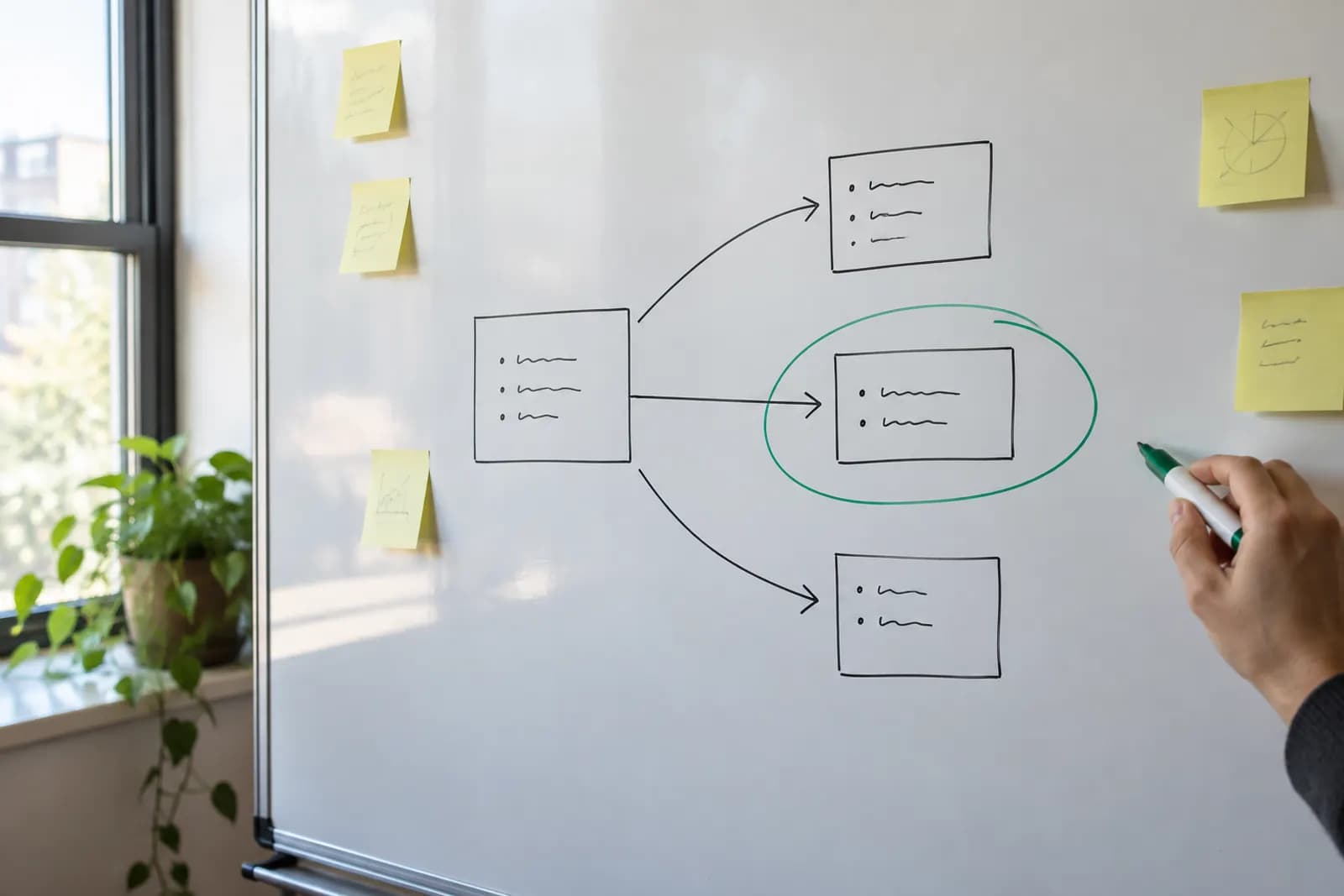
To stop a Zapier automation when a form field is blank, put a filter after the form trigger and before any email or record-creation step. Check required answers in the filter, but let optional answers pass.
To stop a Zapier automation when a form field is blank, put a filter after the form trigger and before any email or record-creation step. Check required answers in the filter, but let optional answers pass.
The filter belongs before any action that uses the form answer
A Zapier filter can stop a form-triggered Zap before it sends an email or creates a record. Place the filter immediately after the form trigger, ahead of every action that should depend on a complete submission. A filter placed after an email cannot prevent that email from being sent.
Open the Zap, add a Filter by Zapier step after the trigger, and select the form answer that must be present. Choose a condition that checks whether the answer exists or is not empty, using the wording available in the filter editor. Add a condition for each other required answer. Set the conditions so every required answer must pass, rather than allowing any one answer to pass. Then place the email and record-creation actions after the filter.
A form tool may also let you mark a question as required. Use that setting when appropriate, but keep the filter if an incomplete answer would cause an unwanted action. The form setting guides people completing the form; the filter controls what this particular automation does with the submission. If you are building a confirmation message, the form-to-email walkthrough covers the email action after you have decided which submissions may reach it.
Required answers should pass the filter, while optional answers should not control it
A missing required answer should stop the Zap, but a missing optional answer should usually leave it running. Decide which fields the later actions truly need before adding conditions. An email action needs a usable recipient address. A record-creation action may need a particular value because the destination requires it, or because a record without that value would not be useful to your team.
Do not add every form question to the filter just because it is available. If a phone number or department is optional, requiring it in the filter quietly discards otherwise useful submissions. For an optional value, leave the destination field empty if the destination accepts blanks. If the destination needs a value, decide on an appropriate fallback before mapping the field. Do not invent an answer that could be mistaken for information the person supplied.
The same distinction matters within an email. An optional answer can be left out of the message rather than appearing as an empty sentence. The simple option is to write an email that makes sense without that answer. Use extra branching only if the message genuinely needs different wording when the optional answer is present.
A request form shows how the filter should handle missing answers
A request form with a required email address and request description, plus an optional department, needs a filter on the first two answers only. The intended sequence is form submission, filter, confirmation email, then a new request record. If either required answer is blank, neither later action should run.
In the filter, select the form's email answer and require it to be present. Add the request description with the same requirement. Make sure both conditions must pass. Do not add the department answer to the filter. In the email action, use the required email answer as the recipient and write a confirmation that does not depend on knowing the department. In the record action, map the request description and email, and map the department only to a field that accepts an empty value.
If the form allows an email address that is present but badly formatted, a presence check alone does not establish that the message can be delivered. Use the form tool's input controls where available, and check the email action's requirements. This filter answers a narrower question: whether the required answers are missing. It does not verify that every supplied answer is correct.
Test both a stopped submission and a permitted submission
A Zapier filter is ready to use only after you check what happens with both incomplete and complete form submissions. In the editor, inspect the trigger sample and confirm that the selected filter fields are the answers you intended. A similarly named field, an old sample, or a changed form question can make a condition appear sensible while checking the wrong value.
First, use an incomplete test submission if the form permits one, or select a trigger sample with the required answer missing. Check that the filter does not pass it and that no later email or record action runs in that test. Then test a complete submission and check that the filter passes it. Confirm the recipient and record fields in the later actions rather than assuming that passing the filter means their mappings are correct.
Test the optional field separately. A complete submission with the department left blank should still pass, and its email should read naturally. If the form refuses to submit without a required answer, that shows the form's validation working, but it does not demonstrate how the filter handles an empty value. Review any other route by which data can reach the trigger before relying on that protection.
A blank-field filter has limits that are worth checking
A field that looks blank to a person may not behave like a missing value in a filter. Spaces, a form tool's placeholder value, or a previous step's fallback text can all leave something for a presence check to see. If that is possible in your workflow, test a submission containing only spaces or the placeholder and add a more specific check or clean the value before the filter. Do not assume that an exists condition checks whether an answer is meaningful.
A filter also stops every action after it on that route. If you want to save incomplete requests for follow-up but prevent blank-address emails, one shared filter before both actions is the wrong design. Give the record action its own route that accepts incomplete submissions, and put the email check on the route that sends mail. If both actions require complete submissions, the single early filter is simpler.
A submission deliberately stopped by a filter is different from an action that runs and fails. If you need to hear about the latter, use the guide to alerts for failed Zaps. For filter controls and current task-related limits, check the official documentation or the Zapier tool page.
Sources consulted
- Zapier (zapier.com)
Frequently asked questions
How do I set a Zapier filter for an empty field?
Put Filter by Zapier after the trigger, select the form answer, and choose a condition that requires the value to exist or not be empty. Put the actions you want to prevent after the filter. Test with a sample missing that answer and another sample that includes it.
Can I skip a Zap when a form answer is missing?
Yes. A filter can stop later actions in a Zap when a required form answer is missing. Add a condition for each required answer and make sure all those conditions must pass. Leave optional answers out of the filter unless a particular action cannot work without them.
How can I prevent Zapier from sending emails with blank fields?
Place a filter before the email action and require the recipient address and any other essential answers to be present. Write the email so optional answers can be absent without leaving awkward gaps. A presence check will not confirm that an email address is valid or that text contains more than spaces.
Will a filter stop the whole Zap or just the next action?
When a submission does not pass a filter, actions after that filter on the same route do not run. Actions placed before it have already run. If you need to save incomplete submissions but send email only for complete ones, use separate routes rather than putting one shared filter before both actions.
Related guides
 Send a Personalized Email After a Google Form SubmissionUse form answers in a custom confirmation email, then track each submission so an edited response does not trigger a duplicate.
 Create Google Calendar Events From Google Form ResponsesConnect Google Forms to Google Calendar with a no-code automation, then check missing times, time zones and repeat submissions before sending invites.
 Make a PDF Automatically From Each Google Form ResponseConnect Google Forms to a document template, fill blank answers safely, and save a PDF for each new response without code.
Drafted with AI assistance and checked automatically before publishing. Tools and prices change; check the official source before you act.