
How to Auto-Categorize Support Emails with AI (n8n Tutorial)
By Anu Verma
An n8n workflow fires on each new support email, asks Claude for the topic and urgency, then labels it in Gmail and pings Slack when it's urgent. You open an inbox that has already triaged itself: angry customer first, FAQ last.
Your angriest customer is buried
Support inboxes punish you for not reading everything. The one furious customer about to churn sits buried under ten password resets, and you find them an hour too late. This n8n workflow reads every incoming message for you, tags it by what it is and how urgent it is, and floats the ones that need you now to the top. You open an inbox that has already triaged itself. If you would rather not run n8n, categorising support emails with a no-code tool covers the Zapier and Power Automate routes.
Picture the assembly line
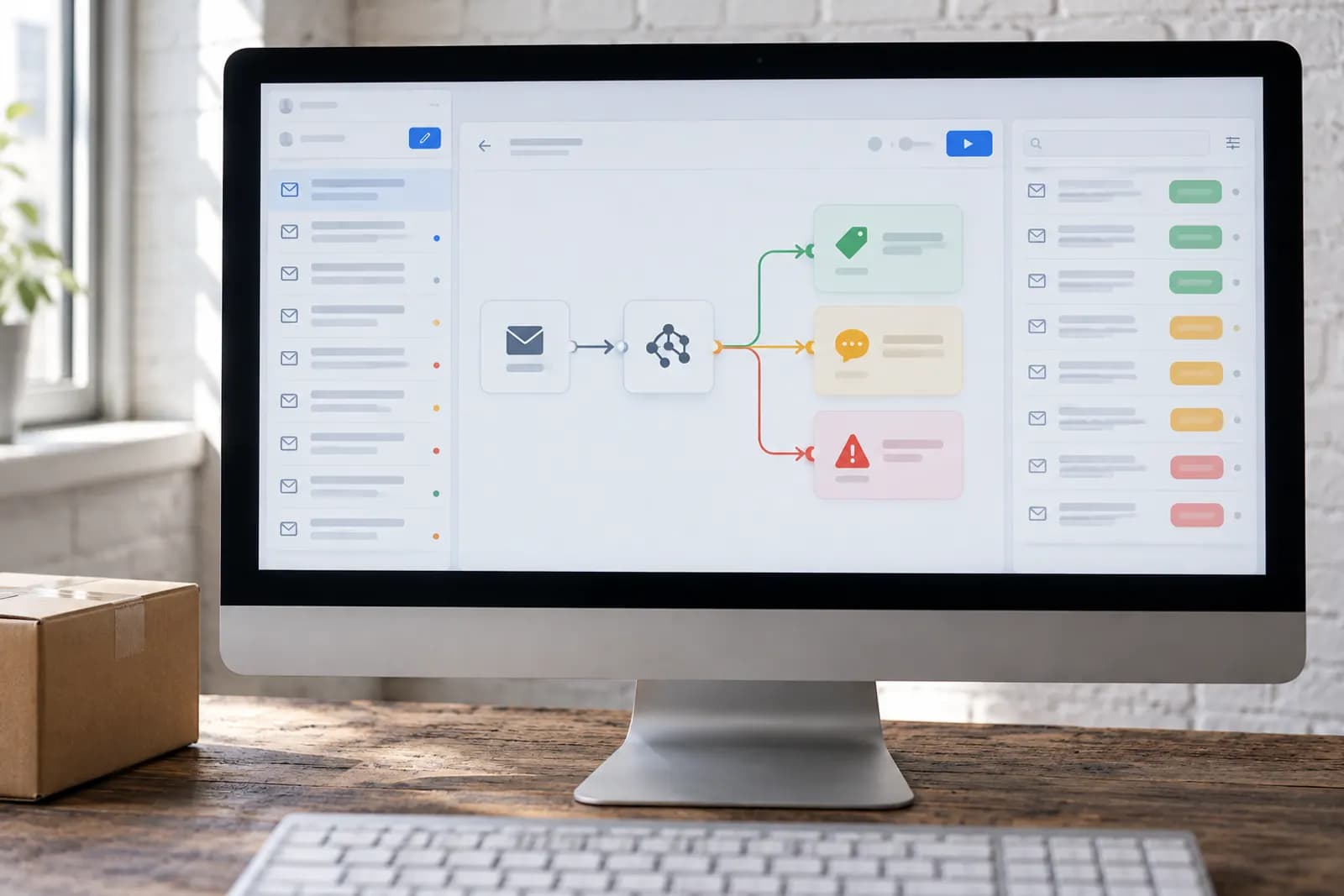
Before you build, picture the assembly line. An email arrives, AI reads it, it gets a label, and the urgent ones trip an alarm. Four moving parts do all the work:
- Trigger fires the instant a support email lands.
- Claude reads it and returns a category plus an urgency.
- Gmail applies a matching label so the inbox sorts itself.
- Slack pings you the moment something is urgent.
Start with the trigger
In n8n, add a Gmail Trigger watching your support inbox or a specific label. This is the workflow's heartbeat: every new message kicks off the assembly line automatically, day and night. Watching one app and reacting in another is exactly what n8n is built for, and it's why this is an Intermediate build rather than a quick chat prompt.
Make the AI answer in JSON
Add the Anthropic (Claude) node. The trick that makes everything downstream work is demanding structured output, plain JSON, so the next steps treat the answer as data instead of guessing meaning from a paragraph. Hand Claude your exact buckets and it sorts reliably.
Classify this support email. Return JSON only:
{ "category": one of ["billing","bug","feature_request","how_to","other"],
  "urgency": one of ["low","medium","high"],
  "summary": one short sentence }

Email:
From: {{ $json.from }}
Subject: {{ $json.subject }}
Body: {{ $json.text }}
Label it, alert on urgent
Add a Gmail node that applies a label matching category, so your inbox color-codes itself the moment mail arrives. Then add an If node: when urgency equals "high," a Slack node posts the summary and a link into your support channel. That furious customer now reaches you in seconds instead of hours, which is often the whole difference between a save and a churn.
Let it draft the reply too
Once you trust the labels, add a second Claude node that takes the email plus your help-doc text and writes a response, then a Gmail node set to Create Draft. You still read and send, so a human approves every word. Each reply now starts 90% written and on-brand instead of from a blank box, and that blank box is exactly where your time used to disappear.
Privacy is why you self-host
When you self-host n8n, the workflow runs on your own server. Customer email content only ever leaves it for the one AI API call you deliberately choose to make. For teams handling sensitive support, that control is the entire reason to run your own n8n instead of handing everything to a cloud tool you can't see inside.
Build the trigger, test one email
Spin up n8n, add the Gmail Trigger on your support inbox, and wire just the Claude classification node after it. Send yourself a test email and watch the JSON come back. Once that works, add the label and Slack steps, then flip the workflow to Active so your inbox triages itself around the clock.
Try this now
Forward five real support emails into a test inbox and run the classification prompt on them by hand first. If the categories come back right, wire the n8n version this week; if they don't, fix the category list — no automation survives a bad taxonomy.
Frequently asked questions
How accurate is the AI at categorizing?
Very, for this kind of task. Sorting an email into a handful of clear buckets (billing, bug, feature request, urgent) is something modern models do reliably. Give Claude your exact categories and one example of each, and accuracy is high enough to trust for routing, you’re labeling, not making irreversible decisions.
Can it draft replies too, or only sort?
Both. Once an email is categorized, you can add a step where Claude drafts a reply using your help docs as context, and drop it into Gmail drafts for you to approve. Start with just sorting, then add drafting once you trust the labels.
Does this work with Outlook, Zendesk, or Help Scout?
Yes. Swap the Gmail trigger for the Outlook, Zendesk, or Help Scout node, the Claude classification step in the middle is identical regardless of where the emails live.
What about customer privacy?
If you self-host n8n, the workflow runs on your own server and the email content only leaves it for the AI API call you choose. For sensitive setups, that control is a key reason teams prefer self-hosted n8n over fully cloud tools.
For you
Learn to do this with AI, free
Short courses for people who aren't engineers: ChatGPT, Claude, prompting and automation. Every lesson is free, with no card.
Start a free courseFor companies
Make an AI or automation tool?
List it in the directory for $9.99, refunded in full if it isn't approved, or claim its page if it is already here.
Related guides
 How to Auto-Draft Sales Follow-Up Emails with n8n + Claude (No Code)Never let a lead go cold: an n8n workflow spots leads due a follow-up and has Claude draft a personal email in your tone, waiting in your drafts.
 Auto-Reply to New Leads in Under a Minute (n8n + Claude)Reply to every new lead within a minute: a workflow catches each form submission, files the lead in your CRM and sends a warm, personal reply.
 Email to Notion: Auto-Create Tasks From Your Inbox (n8n Workflow)Turn a flagged email into a Notion task automatically: an n8n workflow uses AI to pull out the action item and due date and files it in your database.
Tools in this piece
Get the next one by email
One email a week: what changed in AI for people who use it at work, and what to do about it.