
Prepare an Out-of-Office Handover From Your Inbox and Calendar
By Anu Verma

An out-of-office handover should tell a colleague what needs action, when it is due, and where to find the source. AI can draft it from your inbox and calendar, but you should verify deadlines, keep inferred priorities separate, and check sensitive messages before sharing.
An out-of-office handover should tell a colleague what needs action, when it is due, and where to find the source. AI can draft it from your inbox and calendar, but you should verify deadlines, keep inferred priorities separate, and check sensitive messages before sharing.
The inbox and calendar scope for a vacation handoff
A useful vacation handoff covers work that could need attention while you are away, not every message in your inbox. Start with your absence dates and the colleague who will provide cover. Then identify active email threads, tasks you have agreed to handle, and meetings or deadlines that fall during that period or soon after you return.
Search your inbox for open requests, promised follow-ups and recent replies in ongoing threads. Check the latest message in each thread before treating an older request as open. In your calendar, distinguish accepted meetings from tentative invitations, cancelled events and time you have blocked for your own work. A calendar entry called a review is not necessarily a deadline for someone else.
Collect only the details your cover colleague needs: the action, owner, due date if confirmed, current status and where to find the original thread or event. Leave unrelated mail out. If you already use AI to sort a busy inbox, the approach in triaging an inbox before drafting replies can help you find candidates. The handover is a separate decision about what another person must take over.
Confirmed deadlines stay separate from AI-inferred priorities
A confirmed deadline is one you can point to in an email, calendar event or other agreed record. An AI-inferred priority is the assistant's judgment that something looks urgent. Put them in different parts of the handover so a plausible suggestion cannot turn into an invented commitment.
For each confirmed deadline, record the date, the expected action, who requested it and the source thread or event. Read that source yourself. Check whether the date refers to your work, someone else's work, a meeting or a decision. If messages disagree, flag the conflict for a person to resolve instead of asking AI to pick the most recent date without checking what changed.
Keep a separate section for suggested follow-ups. A thread with repeated reminders may deserve attention, but that pattern alone does not establish a due date. Mark its priority as suggested, explain the clue and ask the cover colleague to confirm it if necessary. A tentative calendar invitation belongs here until its status and purpose are clear. This distinction makes it easier for a colleague to act quickly without treating AI's interpretation as a promise made by your team.
A work handover document that ChatGPT can draft
A work handover document made with ChatGPT or another AI assistant is most useful as a short action sheet with traceable sources. Give it a clear coverage period and the cover colleague's name, then use the same fields for each item. A simple document is enough; you do not need an automated workflow to create it.
Here is a format to fill in. Coverage: [absence period]. Cover: [colleague]. Confirmed deadline: [work item]; action: [what must happen]; due: [verified date]; owner: [person responsible]; source: [email thread or calendar event]; status: [what is done and what remains]. Repeat that entry for other verified commitments.
Next, add Suggested priority: [work item]; reason it may need attention: [clue from the inbox or calendar]; next check: [what a person should confirm]; source: [thread or event]. Finish with Waiting for others: [response needed and from whom], Meeting coverage: [whether attendance or a decision is needed], and Access notes: [where approved files can be found]. Do not put passwords in the document. Keep source references useful to the cover colleague, but remember that a link does not grant permission to open a private thread.
The prompt that produces a checkable AI draft
An AI assistant can summarize emails and calendar entries for a vacation handoff when you give it a limited set of relevant material and explicit rules for uncertainty. Use an assistant approved for your work, and check what information your organization permits you to share with it. If the assistant cannot access your mail and calendar directly, provide approved excerpts or your own brief notes instead.
You can adapt this prompt: Draft an out-of-office handover for the coverage period I provide. Use only the email and calendar material supplied. Separate confirmed deadlines from suggested priorities. For every item, include the action, owner, status and source reference. State a due date only when the source explicitly confirms it. Mark missing owners, conflicting dates and uncertain meeting status for my review. Do not draft a message to send or assume the cover colleague has access to the sources.
Supply the coverage period and selected material after those instructions. Ask the assistant to flag items it cannot classify rather than filling gaps. If you are gathering email threads with attachments, handling email attachments with AI offers related guidance. Check an attachment's contents yourself before treating a detail in it as a current instruction.
Sensitive messages need a final human check
A final check for sensitive messages is necessary before you share an AI-drafted handover. Inbox threads can contain personal information, confidential client details, private calendar entries or discussions that the cover colleague should not see. An assistant may summarize such material accurately and still put it in the wrong document.
Read the entire draft as the recipient would. Remove private context that does not help them act, and replace it with a safe direction when appropriate, such as asking an authorized manager for the next step. Check meeting entries for private notes and attendee details. Check source references too: the subject of an email or the title of a calendar event can reveal more than the action line does.
Then compare every deadline and substantial status claim with its original source. Confirm that the cover colleague is allowed to open the linked threads and files. If not, provide an approved summary or arrange access through your usual process. Do not paste a sensitive thread into a different AI service merely to make the summary easier. When you cannot share enough context safely, write that handover item yourself or discuss it directly with the person authorized to cover it.
The handoff is complete when coverage is agreed
An out-of-office handover is complete when the cover colleague knows what they have agreed to handle, not when the document looks finished. Send the checked handover through your normal work channel and ask them to confirm ownership of any deadline, meeting or decision that needs active cover.
Walk through the confirmed deadlines first. For each one, agree on the action, timing and escalation path if something changes. Review suggested priorities separately so the colleague can decide what to investigate without mistaking a suggestion for a commitment. Resolve unclear owners or conflicting dates before you leave when possible; otherwise, identify who can make the decision in your absence.
Finally, check practical access. The colleague may need permission to view a shared file or an introduction to someone on a thread. Agree how unexpected requests should be routed. An out-of-office reply can tell senders whom to contact, but it cannot transfer responsibility by itself. If your work also receives requests through other channels, planning AI-assisted WhatsApp replies may help with those incoming messages. Keep that reply process distinct from the private handover you have agreed with a colleague.
Sources consulted
- Microsoft Support (support.microsoft.com)
- Google Help (support.google.com)
- OpenAI Help Center (help.openai.com)
Frequently asked questions
Can I use AI to create an out-of-office handover?
Yes. Give an approved AI assistant relevant inbox and calendar material, plus instructions to separate verified commitments from suggested follow-ups. Treat its output as a draft. Check dates and status against the original messages, remove sensitive details, and agree with your cover colleague who will handle each action.
How do I summarize emails and calendar entries for a vacation handoff?
Select active threads and events that may need attention during your absence. For each, record the action, owner, status, any confirmed deadline and a source reference. Exclude unrelated messages. Put tentative meetings and AI-suggested priorities in a separate review section rather than presenting them as settled commitments.
Can ChatGPT make a work handover document from my inbox?
ChatGPT can draft a handover from material you are permitted to provide, or from connected information if your workplace has approved that access. Give it a fixed format and tell it not to invent dates or owners. Review the result yourself, since a fluent summary can still miss a later reply or expose private information.
What if my cover colleague cannot access the original email thread?
Do not assume a source link gives them access. Arrange permission through your normal process, forward only what you are authorized to share, or provide an approved summary containing the action they need. For a sensitive matter, identify an authorized contact who can supply the context rather than copying the whole conversation.
Related guides
 Remove Duplicate Contacts in Google Sheets Without Losing NotesKeep the most useful contact row, move unique notes into it, and review matching names before removing duplicates in Google Sheets.
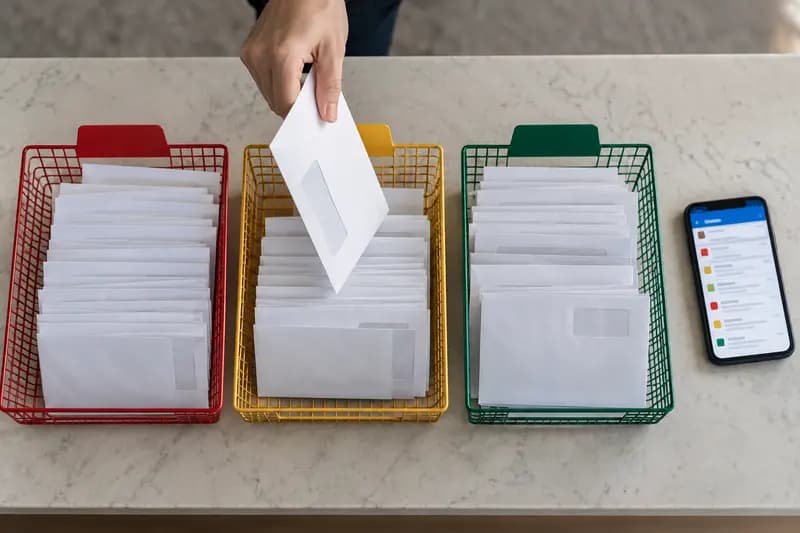 How to Automate Email Classification Without CodingUse Gmail or Outlook, an AI step, and a human review queue to sort email safely without writing code.
 Email to Notion: Auto-Create Tasks From Your Inbox (n8n Workflow)Turn a flagged email into a Notion task automatically: an n8n workflow uses AI to pull out the action item and due date and files it in your database.
Drafted with AI assistance and checked automatically before publishing. Tools and prices change; check the official source before you act.