
Voice Note → LinkedIn Post with Apple Shortcuts + ChatGPT (No Install, No Server)
By Anu Verma
Talk for 30 seconds, get a finished LinkedIn post on your clipboard. A free Apple Shortcut transcribes your voice on-device, hands it to ChatGPT with a "rewrite as a LinkedIn post" prompt, and copies the result — ready to paste.
You already own the tool
Writing a LinkedIn post is a tax on busy people: the idea takes ten seconds, the writing takes thirty minutes. This flips it — you ramble into your phone for half a minute and a finished post lands on your clipboard. The best part: Apple Shortcuts is already on your iPhone and Mac, it's free, and there's nothing to install. No server, no monthly subscription, no new account, which is the trade against the hands-off n8n and Claude version of this workflow.
Three moves, one tap
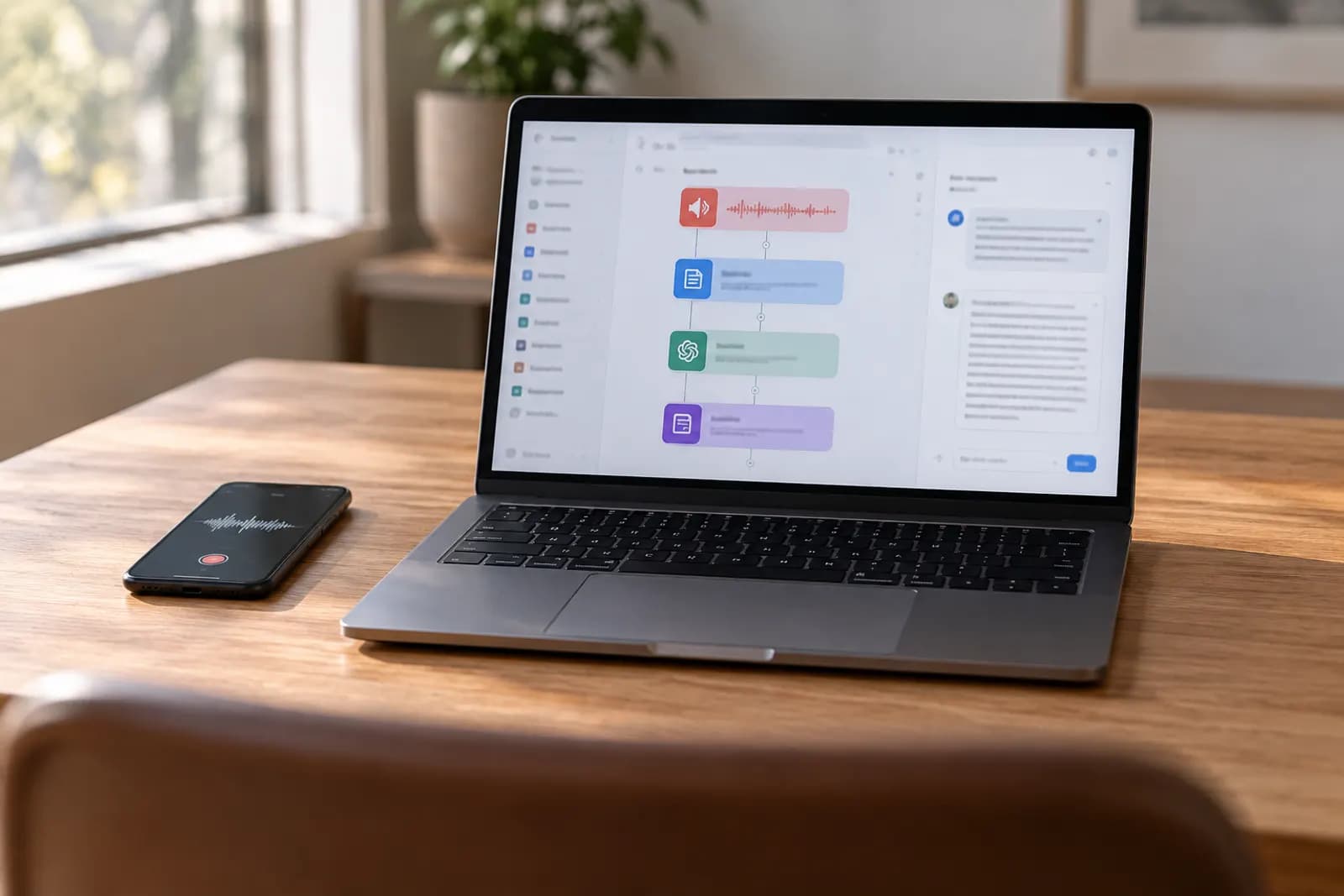
The whole thing is a single Shortcut that stacks three small actions. It turns your speech into text, hands that text to AI with a "make this a LinkedIn post" instruction, then drops the polished post on your clipboard. You fire it from the Share Sheet or your Home Screen with one tap. The mental model: talk, tap, paste.
What you'll need
Just two things, and you likely have both already:
- A Mac or iPhone — open the pre-installed Shortcuts app.
- One AI step — either Apple Intelligence's free on-device "Use Model" action, or the free ChatGPT app, which adds a ChatGPT action you can drop right in.
Apple Intelligence keeps everything on-device. ChatGPT often writes a touch more naturally. Either works fine.
Start a blank Shortcut
Open Shortcuts and tap the + to start a new one. Name it something you'll spot on your Home Screen, like "Voice → LinkedIn." You're now looking at an empty canvas where each action stacks on the last, top to bottom — and that order is the workflow. Don't overthink it. You'll add just four small actions, one at a time.
Turn speech into text
Add a Dictate Text action. It transcribes your voice on-device, no internet needed. Tap the mic, talk for thirty seconds, and your words become text. Want to run it on a voice memo you already recorded instead? Swap in Get Text from Input so it works from the Share Sheet. Either way, you now hold the raw transcript — the raw material for the next step.
Hand it to the AI
Add your AI action and feed it the transcript. With Apple Intelligence that's Use Model; with ChatGPT it's the ChatGPT action. The prompt is what turns rambling into a post. Paste this and put the transcript variable at the very end:
Turn this voice note into one LinkedIn post: a strong one-line hook,
short punchy lines, one clear takeaway, no hashtags. Match the voice in
these examples of my posts: [paste 2-3 of your real posts]. Voice note:
Drop it on your clipboard
Add a Copy to Clipboard action and feed it the AI output. Now the finished post is sitting on your clipboard, ready to paste into LinkedIn. Want to eyeball it first? Add a Show Result action just before it so the draft pops up on screen. A three-second human glance catches the rare odd line and keeps every post sounding like you, not a robot.
Make it one tap
Open the Shortcut's settings (the toggle icon) and turn on Show in Share Sheet and Add to Home Screen. Now it lives one tap away: run it on selected text, on a voice memo you share to it, or straight from your Home Screen icon. That's the whole magic — the gap between "I have an idea" and "it's posted" basically disappears.
Make it yours
A few tweaks turn this from a trick into a habit:
- More formats: duplicate the AI action with a second prompt for an X post or an Instagram caption — one voice note becomes three.
- A daily nudge: add a Shortcuts Automation that pings you each morning to record one idea, the same scheduling trick behind the end-of-day shutdown shortcut.
- Fully on-device: prefer not to connect ChatGPT at all? The built-in Use Model action keeps everything local and free.
Your first step
Open Shortcuts, tap +, and add just two actions: Dictate Text, then Show Result. Run it and talk for ten seconds. Seeing your own words appear as text proves the hard part works — the AI and clipboard steps take two more minutes to bolt on.
Try this now
Record a two-minute voice note on the thing you explained at work this week, run it through the shortcut, and read the draft out loud. Edit it, post it or bin it — but you will know the pipeline works before you invest another minute.
Frequently asked questions
Do I need to pay for anything?
Apple Shortcuts is free and built into macOS and iOS, and transcription happens on-device for free. The only optional cost is the AI step: use the free Apple Intelligence "Use Model" action on supported devices, or connect the ChatGPT app (the free tier works for this). No workflow-tool subscription, no server bill.
How is this different from the n8n version?
The n8n version runs on a server, fully hands-off, and can post to multiple platforms — great if you already run n8n. The Shortcuts version runs on your own phone or Mac with nothing to install and no server, which is simpler and free for a solo creator. Same idea, lighter tool.
Does it post to LinkedIn automatically?
It copies the finished post to your clipboard (or opens the Share Sheet) so you paste and publish in one tap. LinkedIn’s app doesn’t allow reliable automatic posting from a Shortcut, and a quick human glance before publishing is a feature, not a bug.
Can I make it sound like me?
Yes — put two or three of your own past posts directly into the prompt inside the Shortcut and tell the model to match that voice. Examples beat instructions every time.
For you
Learn to do this with AI, free
Short courses for people who aren't engineers: ChatGPT, Claude, prompting and automation. Every lesson is free, with no card.
Start a free courseFor companies
Make an AI or automation tool?
List it in the directory for $9.99, refunded in full if it isn't approved, or claim its page if it is already here.
Related guides
 How to Turn a Voice Note Into a LinkedIn Post Automatically (n8n + Claude)Talk for 30 seconds, get a polished LinkedIn post: an n8n workflow transcribes your voice note and Claude writes it up in your own voice.
 Build a Daily AI Briefing With ChatGPT Tasks (No Server, No Code)Wake up to a briefing ChatGPT writes for you every morning: one scheduled prompt in ChatGPT Tasks, with no automation tool and no server. Prompt included.
 Build an End-of-Day Shutdown Routine with Apple ShortcutsClose the workday with one tap: an Apple Shortcut that surfaces tomorrow and silences work apps, with no subscription and nothing to install.
Tools in this piece

Get the next one by email
One email a week: what changed in AI for people who use it at work, and what to do about it.