
How to Remove Sensitive Details Before Sharing with ChatGPT
By Anu Verma
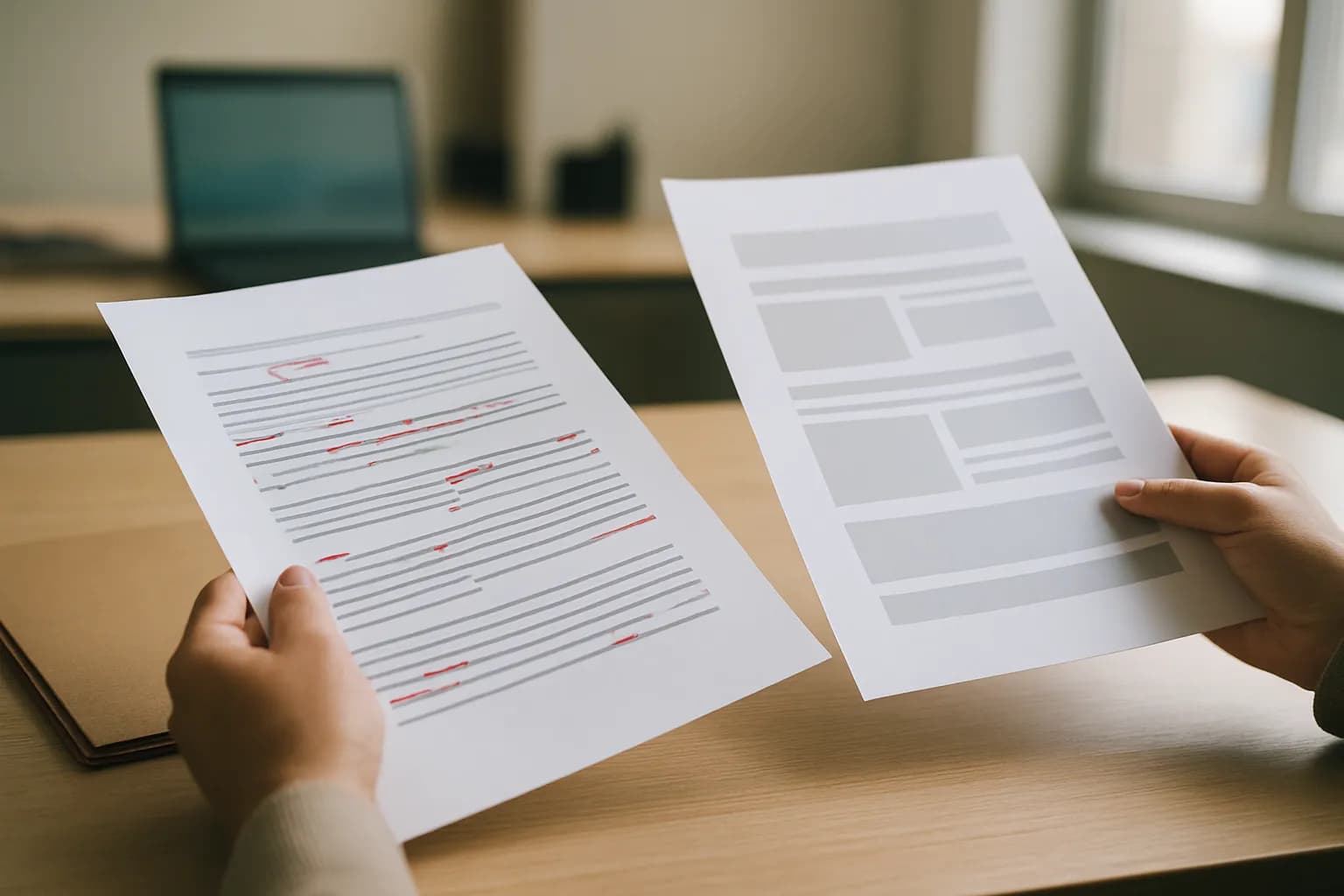
To remove sensitive details before sharing a document with ChatGPT, make a separate working copy, strip both direct identifiers and clues that could identify someone, check for hidden content, and share only what the task requires. Replacing names alone is not anonymization.
To remove sensitive details before sharing a document with ChatGPT, make a separate working copy, strip both direct identifiers and clues that could identify someone, check for hidden content, and share only what the task requires. Replacing names alone is not anonymization.
The decision to share comes before redaction
Do not share a document with ChatGPT if your workplace or client does not permit that information to go into an AI chat. Redaction reduces what you disclose, but it does not override a confidentiality agreement, a workplace rule or a legal duty. If you are unsure, ask the person responsible for the information before uploading a file or pasting an excerpt.
Start by stating the job in plain language: perhaps you need a clearer summary, a less formal tone or a list of questions to ask about a draft. Then ask whether ChatGPT needs the document itself. For a request about tone, a short invented sample may work. For a summary, you may be able to supply your own outline instead of the source file. The safest useful input is often much smaller than the document on your desk.
An AI chat tool is also only one place the information might go. If you later pass its output into another app or a team channel, the same disclosure question applies there. The guide to which AI chat is safe for work data helps with tool choice, but choosing a tool does not replace preparing the material you put into it.
Anonymizing a document means removing identifying clues
Anonymizing a document before using ChatGPT takes more than replacing names with placeholders. A job title, an unusual incident, a precise date and a small location can point to a person when read together. Review the document as someone familiar with the workplace would, not just as someone searching for names.
Check for personal information such as contact details, addresses, account details, employee or customer identifiers, signatures and health or financial information. Then look for details that identify indirectly: a rare role, a distinctive complaint, a meeting location, a sequence of events or a quotation someone would recognize. Protect business information too, including unpublished plans, contract terms, credentials and internal discussions. A document can contain no personal names and still be inappropriate to share.
For example, a draft about a staff concern may call someone “Employee A” yet retain their unique role and the exact event that prompted the concern. Changing the name has not made the account anonymous. If those details matter to the task, use a more general description or ask for advice using a fictional scenario. If removing them makes the task impossible, stop rather than treating a placeholder as proof of safety.
A separate working copy makes redaction safer
Make a separate copy before removing personal information for an AI prompt. Keep the original in its approved location and give the working copy a purpose that is easy for you to recognize. Edit only the copy, so you can check what changed without losing the record you may need for work.
Use consistent, plain replacements where relationships matter. If a draft describes a customer and a manager, “customer” and “manager” may preserve enough meaning for a tone edit. If ChatGPT must follow several speakers through a conversation, use distinct neutral placeholders consistently. Replace precise dates, locations and amounts with broader descriptions when their exact values are not needed. Do not leave a precise value in a table while making it vague in the paragraph beside it.
Sometimes rewriting is better than redacting. A short account of the issue, written from scratch without names or distinctive facts, is easier to review than a long file full of black boxes. You can also ask the AI chat tool for a template or a set of questions without supplying any source material. Keep a private note of what each placeholder means only if your work requires one, and do not paste that note into the chat.
Redacting a document requires removing the underlying content
A safe way to redact a document for ChatGPT is to remove sensitive content from the file, not merely cover it on screen. A dark rectangle placed over text, a changed font colour or a cropped view can leave the underlying words available to copy or recover. Use a document or PDF editor’s actual redaction function where available, then save a new copy and test the result.
Editable files need a different kind of check. Comments, tracked changes, earlier wording, document properties, notes and hidden sections may carry information that is not obvious in the main text. Microsoft says Word’s Document Inspector can help find hidden data and personal information. Use the inspection tools available in your editor, resolve or remove material that should not travel with the file, and inspect the final copy again. A visual scan by itself is not enough.
If the task only needs a passage, pasting a carefully rewritten excerpt into the chat may be simpler than uploading the entire file. That avoids sending unrelated pages and file content. It does not make the pasted text safe automatically: reread the excerpt and the prompt together, because context in your instructions can reveal what your replacements were meant to hide.
The final check should try to identify someone
Review the prepared material as if you were trying to work out who or what it describes. Read the whole prompt, not just the document, and look for clues that become identifying when combined. Check headings, tables, footnotes, filenames and any text you plan to paste separately. Search for names and other details you intended to remove, but do not rely on search alone to catch indirect clues.
Try copying text from areas you redacted in a PDF. Open the saved copy again and check what a recipient can select, view or find. In an editable document, check comments, tracked changes and document properties as well as the visible pages. If you cannot verify that a redaction tool removed the underlying content, use a freshly written summary instead of the file.
Make the check match the task. For a request to improve wording, ask whether a stranger could do the edit with only the rewritten passage. For a request to analyse a case, ask whether a coworker could recognize the case from its circumstances. If the answer is yes, make it less specific or do not send it. Redaction is a decision about what remains, not just what you deleted.
A small prompt and a controlled handoff limit exposure
Share only the cleaned material needed for the request, and tell ChatGPT what to do without restoring sensitive context in your instructions. A useful prompt can describe the audience, the desired format and the task without naming a client, attaching an entire case file or explaining who each placeholder represents. Check the current data controls for the AI chat tool and your workplace’s rules before you send anything.
Review the answer before using it. The model may fill gaps with assumptions or repeat details you did not expect to carry through. Check whether the output reveals a person, customer or confidential project when paired with information your audience already has. Keep the mapping between placeholders and real identities outside the chat, and add real details back only in an approved work setting if the finished document needs them.
If the output will be forwarded automatically, treat that as another sharing step rather than a private drafting task. The guide to connecting ChatGPT to Slack without writing code is useful when planning that handoff. For a single draft, manual copying and review may be enough. In either case, a repeatable routine is the same: decide whether to share, make a copy, remove direct and indirect clues, inspect the result, then review what leaves the chat.
Sources consulted
- Microsoft Support (support.microsoft.com)
- OpenAI Help Center (help.openai.com)
Frequently asked questions
Is replacing every name enough to anonymize a document?
No. A distinctive role, exact event, location, quotation or combination of dates can identify someone without a name. Read the document as a colleague who knows the people involved would. Generalize unnecessary details, use an invented scenario if it still serves the task, or do not share the material.
Can I put black boxes over sensitive text in a PDF?
Do not assume a black box removes the text beneath it. Use an actual redaction function, save a new copy, then reopen it and try to select or search for the removed content. If you cannot check that the underlying text is gone, share a freshly written excerpt instead.
Is pasting text safer than uploading a document?
Pasting a short, reviewed excerpt can avoid sharing unrelated pages and hidden file content. The text you paste can still contain personal information or identifying clues, and your prompt can reintroduce them. Review the entire message before sending it, and follow your workplace’s rules for the AI chat tool.
What if the sensitive details are necessary for the task?
Do not treat redaction as sufficient if the task depends on revealing information you are not allowed to share. Ask whether an approved tool, an authorized colleague or a general question without the source material can meet the need. If not, keep the task in an approved work setting.
Related guides
 AI Data Privacy Training: Eight Steps That WorkBuild AI privacy training employees can use this week, with a route comparison, tool checks, safe practice tasks and failure tests.
 AI Acceptable Use Policy: A Small-Business ChecklistUse this same-day checklist to approve AI tasks, block risky data, assign human checks, and publish a policy your team can follow.
 Remove Duplicate Contacts in Google Sheets Without Losing NotesKeep the most useful contact row, move unique notes into it, and review matching names before removing duplicates in Google Sheets.
Drafted with AI assistance and checked automatically before publishing. Tools and prices change; check the official source before you act.