
Compare Two SOP Versions With AI and Verify What Changed
By Anu Verma
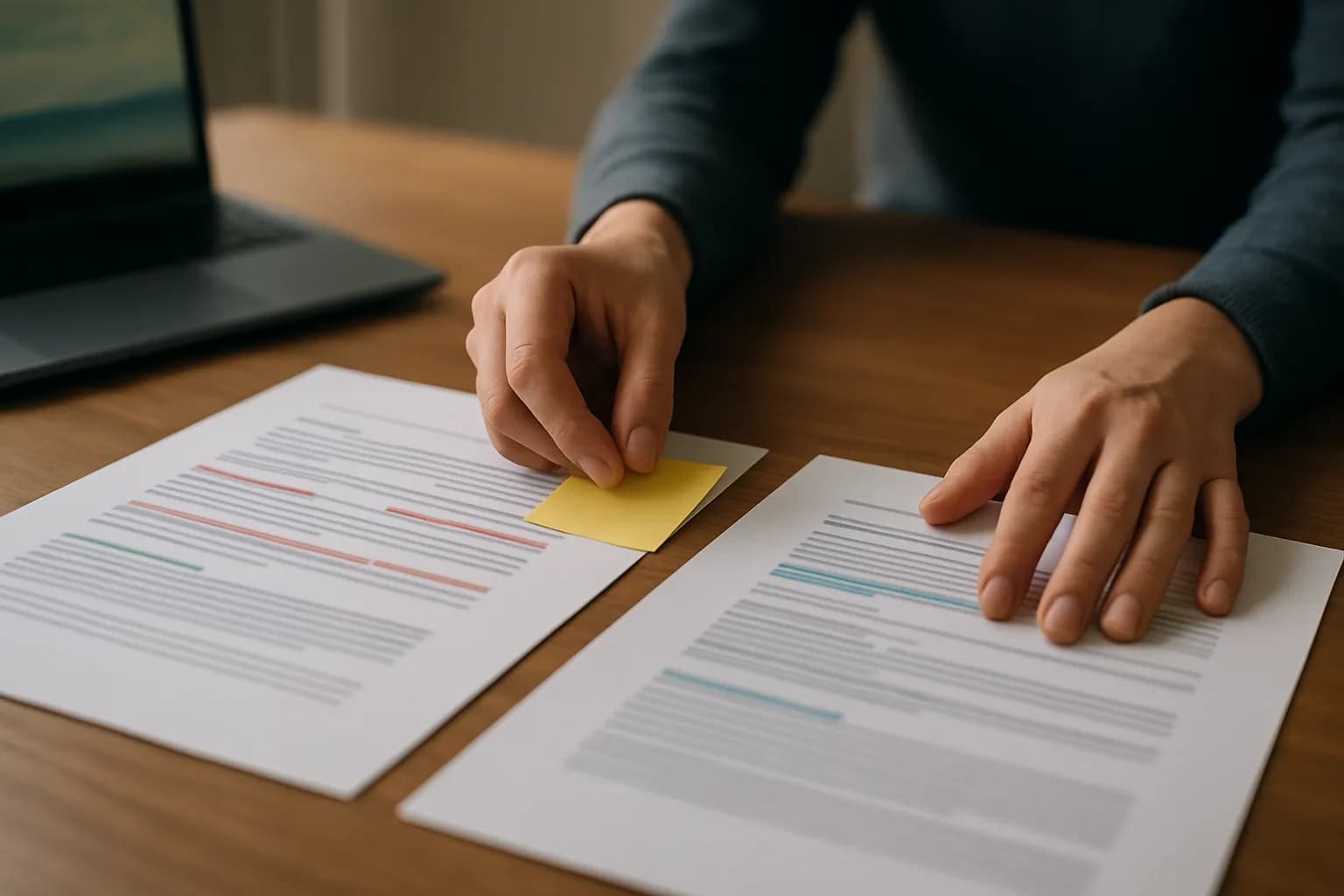
To compare two SOP versions with AI, give the assistant clearly identified old and new copies, ask for changes by section, and check every reported change in the originals. Treat changed approvals, timing, responsibilities and missing instructions as decisions for a person, not edits for AI to approve.
To compare two SOP versions with AI, give the assistant clearly identified old and new copies, ask for changes by section, and check every reported change in the originals. Treat changed approvals, timing, responsibilities and missing instructions as decisions for a person, not edits for AI to approve.
Clean copies make an SOP comparison reliable
An AI comparison works best when the old and new SOPs are complete, clearly identified, and readable in their intended order. Keep an untouched copy of each version. If you are copying text into an AI assistant, include the headings and any tables that carry instructions, rather than pasting only the paragraphs that look different.
Check whether the documents contain sensitive customer, employee or business information before uploading or pasting them. Follow your workplace rules for approved tools and data. If those rules do not allow the documents in an AI assistant, use your document editor’s comparison feature or review a suitably redacted copy. Redaction can hide a meaningful change, so keep the originals available for the person doing the final check.
Tell the assistant which copy is older and which is proposed. Page numbers may move when formatting changes, so ask it to refer to section headings and short passages from both versions. For a long SOP, compare matching sections in manageable pieces and keep a record of which sections you have covered. An assistant cannot identify a missing instruction if you never provide the section where it appeared.
Word comparison shows edits, while AI sorts their meaning
To summarize differences between two Word documents, start with Word’s document comparison feature if both SOPs are available as Word files. Microsoft provides a Compare command that produces a document showing revisions between an original and a revised copy. Check the displayed changes against the originals, especially if formatting, tables or moved text make the result hard to follow.
A change-marked document answers where the text differs. It does not decide whether a changed sentence alters the procedure. An AI assistant can help group those edits into categories such as changed action, changed timing, changed owner, removed instruction and wording only. Use the marked document to locate edits and the AI summary to decide what deserves closer review.
The simple Word option is enough when you only need to locate edits or the SOP is short enough to inspect directly. Add AI when there are many wording changes and you need a readable account of their possible operational effects. If the material is already in another document editor, use its revision or version tools where available rather than converting files solely to get an AI summary. Keep any change marks until a person has resolved the important differences.
A focused prompt makes ChatGPT compare two documents
You can use ChatGPT to compare two documents by supplying clearly marked old and proposed SOP text, or by providing files if that option is available and permitted in your workplace. The same method works with another approved AI assistant that can read the material. Check the assistant’s official help information for its current file capabilities rather than assuming every document format will be read as intended.
Give the assistant a narrow job: Compare the old SOP with the proposed SOP section by section. Report added, removed and changed instructions. Separate changes to actions, owners, timing, approvals and records from wording that appears to preserve the same instruction. For each finding, show the relevant section in both versions, explain the possible effect, and mark anything uncertain for human review. Do not decide which policy is correct or invent an instruction to fill a gap.
Ask for a clear statement when a section cannot be matched or read. If the answer says an instruction was removed, search both originals before accepting that finding. It may have moved or been rewritten under another heading. For advice on writing an SOP from rough source material, see turning messy notes into a clean SOP; comparing approved versions is a different task.
A refund example separates changed procedure from rewording
A worked SOP comparison should distinguish a changed rule from a sentence that says much the same thing. Consider an illustrative refund procedure. The older version tells staff to get manager approval before issuing a refund, send confirmation to the customer after the refund, and save the approval in the case record. The proposed version tells staff to issue the refund and then notify the manager, and to send customer confirmation once the refund is complete.
The approval instruction is a substantive change: getting permission before an action is not the same as notifying someone afterward. A reviewer must establish whether that change was intended and authorised. The confirmation sentences appear to describe the same action and timing in different words, so they are likely rewording. The instruction to save approval is absent from the proposed excerpt, but the comparison alone does not prove that recordkeeping was cancelled. It might appear elsewhere in the full SOP.
A useful AI summary would present those findings separately, with the relevant text from each version and a question for the reviewer about the missing recordkeeping instruction. Avoid asking the assistant for a single verdict that the new SOP is safe. The point of the comparison is to direct a person’s attention to decisions that wording alone cannot settle.
A person must verify operational changes against the originals
A person should verify every AI finding that could change what staff do, when they do it, or what evidence they keep. Read the relevant passage in both complete SOPs. Check whether an apparently deleted instruction has moved, whether a table or note qualifies the rule, and whether the new wording conflicts with another section.
Give particular attention to approvals, handoffs, deadlines, exceptions, customer messages, access to information and required records. The AI assistant can flag a possible change, but it cannot establish who authorised a policy change or whether the procedure meets your workplace obligations. Ask the process owner to resolve uncertain or consequential differences before treating the proposed SOP as the current instruction.
Record the review decision beside each finding in a working copy: accepted wording edit, confirmed procedure change, correction needed, or unresolved question. Include a pointer to the relevant section so someone else can check the decision. Keep the AI output as review notes, not as the new SOP. If a change affects records held in a separate spreadsheet, compare the spreadsheet records directly; an SOP comparison cannot establish whether the underlying records match.
A final review turns the comparison into an approval decision
An SOP comparison is ready for approval only when its important findings have been checked and open questions have an owner. Read the proposed SOP once as a complete procedure, not just as a set of edits. Staff may encounter a contradiction between sections even when each individual edit looks reasonable.
Test the procedure with an ordinary work case: identify where the instruction begins, who acts next, what approval is needed, and what record remains afterward. If you cannot follow that path from the proposed document, clarify the SOP before release. For a changed customer message or handoff, check the actual template or connected workflow too; changing an SOP does not automatically change the systems people use.
Share a short review summary with the process owner that separates confirmed changes, wording-only edits and unresolved questions. Keep the original, proposed copy and approved final copy distinguishable, so staff do not act on a draft. If the process relies on incoming documents, automating emails with attachments is a separate workflow decision. First establish which SOP instructions are approved; only then consider whether any part of the process should be automated.
Sources consulted
- Microsoft Support (support.microsoft.com)
- OpenAI Help Center (help.openai.com)
Frequently asked questions
Can ChatGPT compare two SOP documents without Word?
Yes, if you can provide readable copies and your workplace permits their use in the tool. Identify the older and proposed versions, ask for findings by section, and check the answer against both originals. For long documents, work through matching sections so that omitted or unreadable material is easier to spot.
How do I find changes between SOP versions with AI?
Ask an approved AI assistant to identify added, removed and changed instructions, with a reference to each version. Request separate categories for procedure changes, likely rewording and uncertain findings. Then inspect the original documents, particularly where approval, timing, responsibility or recordkeeping appears to change.
Can AI summarize differences between two Word documents?
AI can summarize differences when it can read both documents, but check that it has received all the relevant text, including tables. Word’s comparison feature can show the textual edits first. Use the AI summary to organise those edits by possible effect, then verify any consequential claim in the Word files.
Should I accept an AI report that says an SOP instruction was deleted?
Not without checking the full proposed SOP. An instruction may have moved to another section, changed wording, or been replaced by a related rule. Search for the action and its purpose in both versions. If it is genuinely absent, ask the process owner whether the omission was intended.
Related guides
 Automated Product Certification: A Practical WorkflowAutomated product certification means checking product evidence against rules, recording decisions, and routing exceptions for human review.
 How to Compare AI Training Courses for Real WorkCompare hands-on tasks, tool coverage, support, privacy rules, update habits, and refund terms before choosing an AI training course.
 AI Output Review Checklist for WorkReview AI work by checking facts, sources, privacy, instructions, calculations, tone and approval before you send or publish it.
Drafted with AI assistance and checked automatically before publishing. Tools and prices change; check the official source before you act.