
Best AI Automation Courses for Non-Technical Work
By Anu Verma
The best AI automation course for a non-technical learner is the one that teaches the tool you already use and ends with a tested workflow for one real job, not a completion badge. If you want broad AI skills before automating anything, start with a structured introduction such as Google AI Essentials instead, then come back to automation.
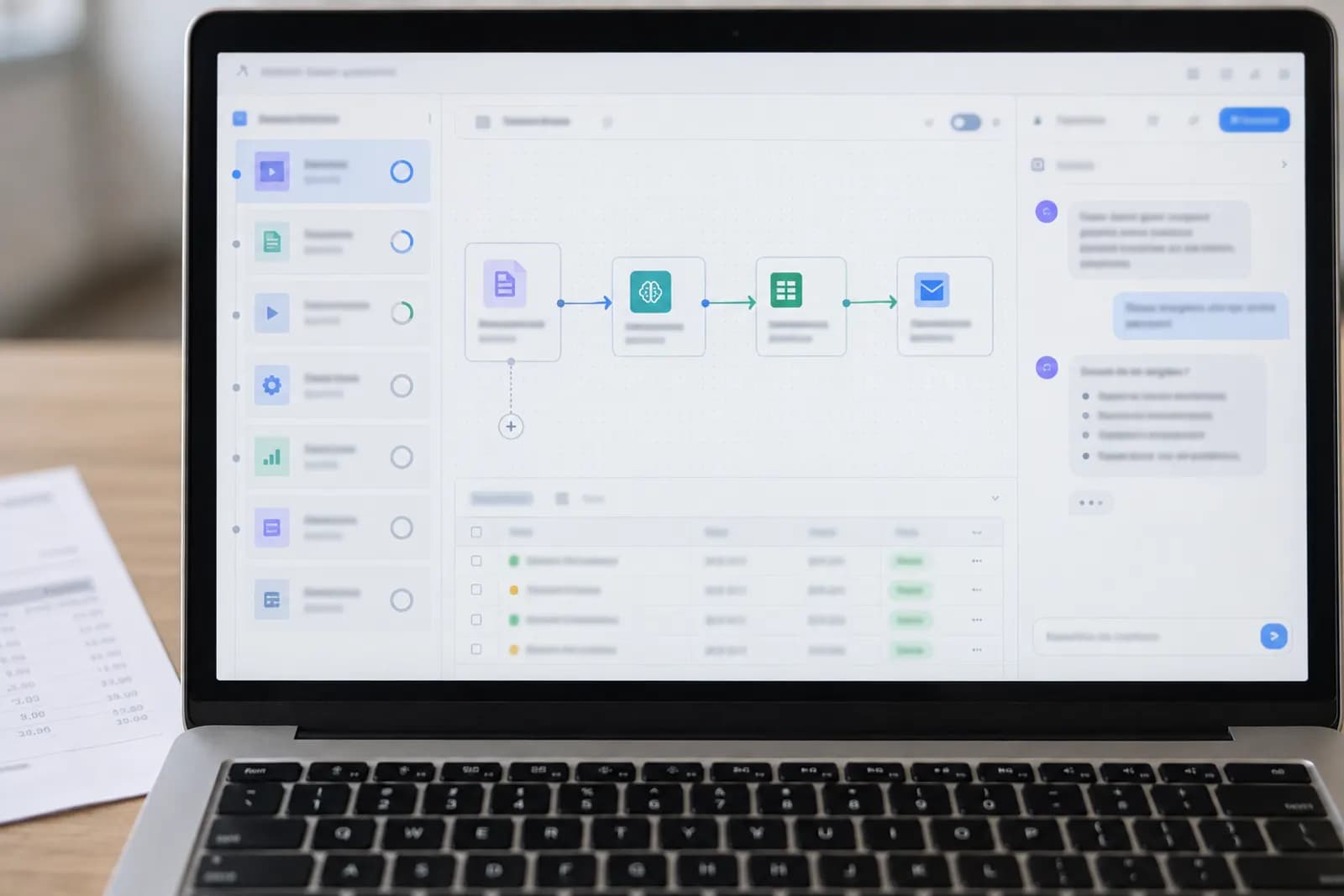
For a non-technical learner who needs a result this week, the best AI automation course is the one that teaches your chosen tool and ends with a tested workflow, not just a completion badge.
The best default depends on your goal
Two different goals get called AI training, and they have different defaults. If you want to automate a specific job without writing code, start with a short, tool-specific course that ends in a workflow you build and test yourself. Automate Basics' courses are built for that: they teach practical use of ChatGPT, Claude, Gemini and Copilot, every course is free to read, the first lesson needs no account, and the remaining lessons need a free account. They are our own courses, so hold them to the same tests as any other in this guide.
If instead you want a broad, structured introduction to using AI at work before you automate anything, the default is a general course such as Google AI Essentials on Coursera. That route, and the vendor training for Microsoft 365, Google Workspace and ChatGPT, is compared in AI training courses for professionals.
The important qualification is that a course is only useful if it gets you to a working job. Pick one small outcome before you start, such as turning meeting notes into tasks, drafting replies from a form submission, or extracting fields from an invoice. Then judge each lesson by whether it helps you complete that outcome.
Automate Basics has eight short courses without an exam or certificate, plus four assessed certifications: AI Essentials, AI at Work, AI Agents and Delegation, and AI Automation. The free exam and optional paid certificate are separate from the learning itself, so you don’t need to buy a certificate to use the course material.
Choose a course for one job this week
Choose the course by the job you want to finish, not by the word automation in its title. Write the input, decision and output in one sentence. For example, “When a customer form arrives, classify the request and draft a reply for my review.” That sentence tells you what the course must cover.
Next, identify the tools already involved. A workflow using Gmail, a spreadsheet and ChatGPT needs different instruction from one using Microsoft 365 and Copilot. A course that explains prompts but never addresses the handoff between tools won’t get you to the result.
Look for lessons that show structured inputs, reusable instructions, review points and failure handling. You should be able to copy the process into your own account, replace the sample data, and test it with an ordinary case and an awkward case. If a course only demonstrates impressive outputs from carefully prepared examples, it may teach prompting without teaching automation.
The best first project has low risk and a clear human approval step. Avoid starting with payroll, legal decisions, medical information or unsupervised customer promises. Your first win should save repetitive effort while leaving you in control of the final action.
Prompt training or automation training?
Prompt training teaches you to get a better result from an AI tool; automation training connects that result to a repeatable process. The distinction matters because a well-written prompt doesn’t send an email, update a record, or ask for approval on its own.
Use prompt training when you are the person starting the work each time. You might paste a long customer message into ChatGPT, ask for a concise reply, then review and send it yourself. The workflow is manual, but the drafting is faster. Use automation training when a trigger should start the work without you copying and pasting: a new form response, calendar event, uploaded file, or spreadsheet row that passes data to an AI step and sends the result somewhere.
A common beginner failure is treating a prompt as a specification. Automation needs stricter instructions: the expected fields, the allowed values, what to do when data is missing, and when to hand off to a person. “Summarise this” may be fine in a chat. A workflow needs something closer to “return a subject, three actions and an urgency label; if the message has no deadline, return unknown.”
Which connector tool to learn: Zapier, Make or n8n
Zapier is usually the simplest starting point for connecting familiar business apps, while Make gives you more visible control over multi-step scenarios. n8n is the stronger option when you want an inspectable workflow and are willing to learn more of the platform; the beginner's guide to n8n builds a first AI workflow in it. Power Automate belongs on the list when your organisation runs Microsoft 365, because it is often already licensed there.
Start with the tool already closest to your work. If your process begins in a form and ends in an email, the connector platform is the main thing to learn. If the work begins and ends in a chat window, prompt and file-handling skills may be enough. If you need branching logic, structured fields, retries, or an audit trail, move toward Make or n8n once you understand the basic flow. The trade-offs between them, and when plain ChatGPT is enough, are set out in Zapier vs Make vs n8n vs just ChatGPT.
Don’t choose a tool or a course because of the word “agent” alone. An agent can make a workflow less predictable, and a fixed sequence with a human approval step is often the better beginner design.
The right course for ChatGPT, Claude, Gemini or Copilot
The best course is usually the one that teaches the AI tool already approved or available in your workplace. ChatGPT, Claude, Gemini and Copilot can all help with drafting, classification, extraction and summarisation, but their menus, account settings, connectors and data controls differ. A general AI lesson won’t necessarily show the steps in your chosen product.
Use a tool-specific course when the task depends on features such as file handling, reusable instructions, workspace permissions or connections to other services. Use a broader automation course when the hard part is designing the process: defining the trigger, shaping the data, checking the result and deciding when a person must approve it.
Automate Basics covers all four named tools, which makes it a practical starting point when you’re comparing them or working across different clients. Start with one tool rather than trying to master all four. Test the same small task in the tool you expect to keep using, then record where the output fails, where information is lost and where a manual check is needed.
Official product documentation is the tie-breaker for changing interface steps, account requirements and current capabilities. Course lessons explain the method; the vendor documentation confirms what your account can do today.
What a useful course makes you build
A useful AI automation course should make you build a complete, reviewable workflow, not merely produce a polished answer in a chat window. The workflow should have a defined trigger, an input format, an AI instruction, an output destination and a human checkpoint where the risk justifies one.
For example, a practical exercise might take a support message, label its topic and urgency, draft a response, and place both the label and draft in a review queue. The exercise becomes much less useful if it skips what happens when the message is empty, contradictory or outside the known categories.
Check whether the course teaches you to constrain outputs. Asking for a fixed set of labels, a consistent table or a clearly marked “needs review” result is more useful than asking for a general opinion. Also check whether it explains how to test the workflow with examples that were not used in the demonstration.
A completion screen tells you that you reached the end of the material. A working workflow tells you whether the material transferred to your job. Prefer courses that leave you with instructions, test cases and a way to inspect the output before anything is sent, changed or deleted.
Turn a course into a working automation this week
Turn a course into a working automation by limiting the first build to one trigger, one AI task and one safe output. Start by collecting five ordinary examples from the job you want to improve. Remove confidential information where possible, and write down what a correct result should contain.
Build the workflow manually before connecting services. Ask the model to perform the task on each example, compare the answers with your expected results, and revise the instructions when it fails. This separates a weak prompt from a broken integration. Only after the task works should you connect a form, inbox, spreadsheet or document system.
Keep the first output in a draft folder, review queue or separate spreadsheet. Don’t let a new automation send external messages, overwrite records or delete files until you’ve tested unusual inputs. Add a simple stop condition, such as “needs review” when required information is missing or the confidence of the classification is unclear. The implementation checklist for your first AI workflow walks through those checks in order.
Use the course as a sequence of decisions, not a video to finish. After each lesson, apply one idea to your own examples. If you can’t explain what starts the workflow, what the AI is allowed to change and where you inspect the result, the build isn’t ready for unattended use.
Choose between a course and a tool tutorial
Choose a course when you need a sequence, the vocabulary and a practice plan; choose a tool tutorial when you already know the job and only need the platform-specific steps. Beginners often lose time watching tool demos before deciding what they are trying to automate.
A short course can cover prompting, data handling, workflow design and human review without tying every lesson to one interface, which helps when your workplace uses more than one assistant or when a tool’s menus change. A tool tutorial is better when you are ready to connect a particular form, inbox, spreadsheet or project system.
A workable first week: spend the first session choosing and describing the job, the next building a manual AI version of it, and the rest connecting one trigger and one output, testing the awkward cases and writing down the approval step. Stop when the workflow saves a real, repeated action without hiding its decisions.
Is a free AI automation course enough for your first project?
A free course is enough for a first project when your goal is skill and a tested workflow, rather than an externally recognised qualification. Automate Basics lets you read every course for free, with the first lesson available without an account and the rest requiring a free account. That removes cost as a reason to postpone a small, low-risk experiment.
The no-cost route is especially suitable for solo founders, freelancers and office workers who need to decide whether a task is worth automating. You can learn the tool, test the process and measure whether the result saves time before paying for anything. You should still account for any separate charges from the AI or automation services you connect, because free course access doesn’t make those services free.
A paid certificate may make sense when you need a record of assessment for your own development or an employer’s process. Automate Basics offers optional certificates after a free pass, priced at $49 for AIE-100 AI Essentials, $99 for AIW-200 AI at Work, $129 for AID-300 AI Agents and Delegation, $149 for AIA-300 AI Automation, or $349 for all four. The certificates are issued by Automate Basics, verifiable at /verify, and aren’t accredited by a national qualifications body.
What goes wrong, and how to find the broken step
The most common failure is automating a vague decision before defining what a correct answer looks like. “Sort these emails” sounds simple until you need to decide how to handle mixed requests, missing context, spam, urgent messages or two categories that overlap. A course that skips those cases can leave you with a fragile demonstration.
Another failure is trusting fluent text. AI can produce a convincing answer while inventing a detail, using the wrong record or quietly omitting a field. Require the workflow to show its source information where practical, use structured outputs for repeated tasks, and route uncertain cases to a person. Review the raw input as well as the generated result.
When a workflow does fail, diagnose the stage before rewriting the prompt. First check whether it ran at all: if not, look at the trigger conditions, the account connection and the permissions. If it ran but produced a poor answer, inspect the exact data sent to the model rather than the data you expected it to receive, because hidden formatting, empty fields and long message threads change the result.
Permissions create a separate risk. Connecting an AI tool to a mailbox, drive or customer system can expose more information than the task needs. Use the narrowest access available, avoid putting secrets into prompts, and check where the connected service stores data. Vendor settings and capabilities change, so confirm current guidance in the relevant official documentation.
Finally, don’t confuse a successful test with reliability. Run old examples, awkward examples and an empty example. Record the failures. If you can’t detect a bad result before it reaches a customer or changes a record, keep the workflow assisted rather than unattended.
Skill, workflow or certificate: the path that fits
Choose the skill path if you need to understand practical AI use, the workflow path if you need to automate a specific job, and the certificate path if you need assessed evidence of learning. These goals overlap, but they aren’t interchangeable. A certificate doesn’t prove that a workflow fits your business, and a working workflow doesn’t automatically provide a qualification.
For immediate work, start with one short course and one bounded task. Move to the assessed AI Automation certification only if testing your knowledge and having a verifiable certificate matters to you; its stated outcomes include building a working two-system automation with an AI step in the middle, without writing code. Choose AI at Work when your main need is applying AI across ordinary professional tasks, and choose AI Agents and Delegation when you’re specifically studying how to hand off multi-step work while retaining control.
The four Automate Basics certifications are AIE-100 AI Essentials, AIW-200 AI at Work, AID-300 AI Agents and Delegation, and AIA-300 AI Automation. Each exam is free, while certificates are optional and have the published prices listed in the course information. There’s no subscription, and the certificates are issued by Automate Basics rather than a national qualifications body.
The practical decision rule is simple: don’t pay before you know why you need the certificate. Build or test the workflow first. If the result is useful, you’ll know whether further study should target the tool, the process design or assessed proof of learning.
Sources consulted
- OpenAI Help Center (help.openai.com)
- Anthropic Documentation (docs.anthropic.com)
- Google Help (support.google.com)
- Microsoft Support (support.microsoft.com)
- n8n Documentation (docs.n8n.io)
- Zapier Help (help.zapier.com)
Frequently asked questions
What is the best AI automation course for a complete beginner?
For automating a real task without code, start with a short, tool-specific course that ends in a workflow you test yourself; Automate Basics' free courses, which are our own, cover ChatGPT, Claude, Gemini and Copilot and need no account for the first lesson. If you want general AI skills first, a structured introduction such as Google AI Essentials is the usual default.
Can I learn AI automation without coding?
Yes. You can learn useful AI automation through prompts, structured inputs, review steps and no-code connections between tools. Coding becomes relevant for custom logic or advanced integrations, but a first workflow can stay no-code. Choose lessons that show triggers, outputs, testing and failure handling rather than only explaining AI concepts.
Should I learn ChatGPT before learning automation tools?
Learn enough of ChatGPT or another assistant to describe the job, test your instructions and recognise unreliable output. Then learn the connector tool if your goal is to move information between applications. You don’t need advanced prompting before building a small, supervised workflow.
Are Automate Basics certificates accredited?
Automate Basics certificates are issued by Automate Basics, are verifiable at /verify, and aren’t accredited by a national qualifications body. The exams are free, while the optional certificates have separate prices. Treat them as evidence of assessed learning, not as a nationally regulated qualification.
Should I take a course or read the official tool documentation?
Use a course to learn the workflow method, then use official documentation to confirm current features, permissions and setup steps. Product interfaces and rules change, so documentation from OpenAI, Anthropic, Google or Microsoft may be more current for a specific tool. You usually need both for a reliable build.
What should my first AI automation project be?
Choose a repetitive, low-risk task with a clear input and output, such as turning meeting notes into draft tasks or classifying incoming requests. Keep a human approval step, test ordinary and awkward examples, and avoid starting with payments, legal decisions, medical information or automatic customer promises.
For you
Learn to do this with AI, free
Short courses for people who aren't engineers: ChatGPT, Claude, prompting and automation. Every lesson is free, with no card.
Start a free courseFor companies
Make an AI or automation tool?
List it in the directory for $9.99, refunded in full if it isn't approved, or claim its page if it is already here.
Related guides
 AI Essentials and Certification for Non-EngineersAI essentials training and certification for non-engineers: check the skills, tools, assessment tasks, and certificate evidence before you pay.
 How to Compare AI Training Courses for Real WorkCompare hands-on tasks, tool coverage, support, privacy rules, update habits, and refund terms before choosing an AI training course.
 Best AI Training Courses for Professionals Who Need ResultsCompare practical AI training courses for professionals by job, tool, and time, then choose no-code learning you can apply this week.
Tools in this piece
Drafted with AI assistance from our own research and Search Console data, and reviewed by the Automate Basics team before publishing. Tools and prices change; check the linked official source before you act.
Get the next one by email
One email a week: what changed in AI for people who use it at work, and what to do about it.